<?xml version="1.0" encoding="utf-8"?><feed xmlns="http://www.w3.org/2005/Atom" ><generator uri="https://jekyllrb.com/" version="3.9.5">Jekyll</generator><link href="https://nirabpudasaini.github.io//feed.xml" rel="self" type="application/atom+xml" /><link href="https://nirabpudasaini.github.io//" rel="alternate" type="text/html" /><updated>2024-07-23T06:22:42+00:00</updated><id>https://nirabpudasaini.github.io//feed.xml</id><title type="html">Below the Himalayas</title><subtitle>Open Data, OpenStreetMap, Android Development, Cooking, Travel and Bamboo Flute</subtitle><entry><title type="html">Kotlin Basics - Conditionals</title><link href="https://nirabpudasaini.github.io//basics-of-kotlin-4/" rel="alternate" type="text/html" title="Kotlin Basics - Conditionals" /><published>2024-07-23T00:00:00+00:00</published><updated>2024-07-23T00:00:00+00:00</updated><id>https://nirabpudasaini.github.io//basics-of-kotlin-4</id><content type="html" xml:base="https://nirabpudasaini.github.io//basics-of-kotlin-4/"><![CDATA[<p>Conditionals will let you execute different block of code based on coditions that you define in your program. Like any other language conditions are very important concept in Kotlin as it allows your code to be dynamic, by providing it with abalibility to handle descisions. There are two ways to implement conditions in a Kotlin program.</p>

<h2 id="if-condition">If Condition</h2>

<p>If uses locial and comparasion to evaluate an expression and code is executed based on the result of the expression. The result of these expression is a boolean. Boolean data type and logical operators available for them was covered in <a href="/basics-of-kotlin-2">part 2 of kotlin basics</a>. Before getting into the if else expressions, lets look at the logical and comparision operators in Kotlin.</p>

<div class="language-kotlin highlighter-rouge"><div class="highlight"><pre class="highlight"><code>    <span class="kd">val</span> <span class="py">x</span> <span class="p">=</span> <span class="mi">3</span>
    <span class="kd">val</span> <span class="py">y</span>  <span class="p">=</span> <span class="mi">5</span>
    <span class="kd">val</span> <span class="py">z</span> <span class="p">=</span> <span class="mi">8</span>
    <span class="nf">println</span><span class="p">(</span><span class="n">x</span> <span class="p">==</span> <span class="n">y</span><span class="p">)</span> <span class="c1">//false</span>
    <span class="nf">println</span><span class="p">(</span><span class="n">x</span> <span class="p">+</span> <span class="n">y</span> <span class="p">==</span> <span class="n">z</span><span class="p">)</span> <span class="c1">//true</span>
    <span class="nf">println</span><span class="p">(</span><span class="n">x</span> <span class="p">&gt;</span> <span class="mi">5</span><span class="p">)</span> <span class="c1">//false</span>
    <span class="nf">println</span><span class="p">(</span><span class="n">x</span> <span class="p">&lt;</span> <span class="mi">5</span><span class="p">)</span> <span class="c1">//true</span>
</code></pre></div></div>

<p>An if statement starts with the <code class="language-plaintext highlighter-rouge">if</code> keyword followed by a condition, which is a boolean expression inside parentheses and a set of curly braces which contains a block of code. The block of code only execute when the condition is met.</p>

<div class="language-kotlin highlighter-rouge"><div class="highlight"><pre class="highlight"><code>    <span class="kd">val</span> <span class="py">x</span> <span class="p">=</span> <span class="mi">10</span>
    <span class="k">if</span> <span class="p">(</span><span class="n">x</span> <span class="p">%</span> <span class="mi">2</span> <span class="p">==</span> <span class="mi">0</span><span class="p">){</span> <span class="c1">// % is used to find remainder</span>
        <span class="nf">println</span><span class="p">(</span><span class="s">"$x is an even number"</span><span class="p">)</span>
    <span class="p">}</span>
</code></pre></div></div>
<p>We can also execute a block of statement if the value is false using the <code class="language-plaintext highlighter-rouge">else</code> keyword. The <code class="language-plaintext highlighter-rouge">else</code> branch in an <code class="language-plaintext highlighter-rouge">if/else</code> conditional only gets executed when all previous branches return false values.</p>

<div class="language-kotlin highlighter-rouge"><div class="highlight"><pre class="highlight"><code>    <span class="k">fun</span> <span class="nf">maxOf</span><span class="p">(</span><span class="n">a</span><span class="p">:</span> <span class="nc">Int</span><span class="p">,</span> <span class="n">b</span><span class="p">:</span> <span class="nc">Int</span><span class="p">):</span> <span class="nc">Int</span> <span class="p">{</span>
        <span class="k">if</span> <span class="p">(</span><span class="n">a</span> <span class="p">&gt;</span> <span class="n">b</span><span class="p">)</span> <span class="p">{</span>
            <span class="k">return</span> <span class="n">a</span>
        <span class="p">}</span> <span class="k">else</span> <span class="p">{</span>
            <span class="k">return</span> <span class="n">b</span>
        <span class="p">}</span>
    <span class="p">}</span>

    <span class="k">fun</span> <span class="nf">main</span><span class="p">()</span> <span class="p">{</span>
        <span class="nf">println</span><span class="p">(</span><span class="s">"${maxOf(3, 5)}"</span><span class="p">)</span> <span class="c1">// 5</span>
        <span class="nf">println</span><span class="p">(</span><span class="s">"${maxOf(8, 6)}"</span><span class="p">)</span> <span class="c1">// 8</span>
    <span class="p">}</span>
</code></pre></div></div>
<p>We can also have multiple conditions using the <code class="language-plaintext highlighter-rouge">else if</code> keyword. Subsequent <code class="language-plaintext highlighter-rouge">else if</code> branches in an <code class="language-plaintext highlighter-rouge">if/else</code> conditional will get executed only when previous if or else if branches return false values.</p>

<div class="language-kotlin highlighter-rouge"><div class="highlight"><pre class="highlight"><code>    <span class="k">fun</span> <span class="nf">trafficLights</span><span class="p">(</span><span class="n">color</span><span class="p">:</span> <span class="nc">String</span><span class="p">)</span> <span class="p">{</span>
        <span class="k">if</span> <span class="p">(</span><span class="n">color</span> <span class="p">==</span> <span class="s">"red"</span><span class="p">)</span> <span class="p">{</span>
            <span class="nf">println</span><span class="p">(</span><span class="s">"Stop"</span><span class="p">)</span>
        <span class="p">}</span> <span class="k">else</span> <span class="k">if</span> <span class="p">(</span><span class="n">color</span> <span class="p">==</span> <span class="s">"yellow"</span><span class="p">)</span> <span class="p">{</span>
            <span class="nf">println</span><span class="p">(</span><span class="s">"Slow"</span><span class="p">)</span>
        <span class="p">}</span> <span class="k">else</span> <span class="k">if</span> <span class="p">(</span><span class="n">color</span> <span class="p">==</span> <span class="s">"green"</span><span class="p">)</span> <span class="p">{</span>
            <span class="nf">println</span><span class="p">(</span><span class="s">"Go"</span><span class="p">)</span>
        <span class="p">}</span> <span class="k">else</span> <span class="p">{</span>
            <span class="nf">println</span><span class="p">(</span><span class="s">"Invalid Color"</span><span class="p">)</span>
        <span class="p">}</span>
    <span class="p">}</span>

    <span class="k">fun</span> <span class="nf">main</span><span class="p">()</span> <span class="p">{</span>
        <span class="nf">trafficLights</span><span class="p">(</span><span class="s">"red"</span><span class="p">)</span> <span class="c1">//Stop</span>
        <span class="nf">trafficLights</span><span class="p">(</span><span class="s">"green"</span><span class="p">)</span> <span class="c1">//Go</span>
        <span class="nf">trafficLights</span><span class="p">(</span><span class="s">"black"</span><span class="p">)</span> <span class="c1">//Invalid Color</span>
    <span class="p">}</span>

</code></pre></div></div>

<h3 id="when-condition">When Condition</h3>

<p>If there are a lot of conditions the code might difficult to read and write with the <code class="language-plaintext highlighter-rouge">if/else</code> condition. It is recommended to use the <code class="language-plaintext highlighter-rouge">when</code> conditional to replace an <code class="language-plaintext highlighter-rouge">if/else</code> conditional when there are more than two branches. When is similar to switch statements in other languages.</p>

<div class="language-kotlin highlighter-rouge"><div class="highlight"><pre class="highlight"><code>    <span class="k">fun</span> <span class="nf">printObjectType</span><span class="p">(</span><span class="n">myData</span><span class="p">:</span> <span class="nc">Any</span><span class="p">){</span>
        <span class="k">when</span><span class="p">(</span><span class="n">myData</span><span class="p">)</span> <span class="p">{</span>
            <span class="k">is</span> <span class="nc">String</span> <span class="p">-&gt;</span> <span class="nf">println</span><span class="p">(</span><span class="s">"String"</span><span class="p">)</span>
            <span class="k">is</span> <span class="nc">Int</span> <span class="p">-&gt;</span> <span class="nf">println</span><span class="p">(</span><span class="s">"Integer"</span><span class="p">)</span>
            <span class="k">is</span> <span class="nc">Boolean</span> <span class="p">-&gt;</span> <span class="nf">println</span><span class="p">(</span><span class="s">"Boolean"</span><span class="p">)</span>
            <span class="k">else</span> <span class="p">-&gt;</span> <span class="nf">println</span><span class="p">(</span><span class="s">"Unknown"</span><span class="p">)</span>
        <span class="p">}</span>
    <span class="p">}</span>

    <span class="k">fun</span> <span class="nf">main</span><span class="p">()</span> <span class="p">{</span>
        
    <span class="p">}</span>

</code></pre></div></div>
<p>There are two new things in this example. The <code class="language-plaintext highlighter-rouge">Any</code> data type and the <code class="language-plaintext highlighter-rouge">is</code> operator. <code class="language-plaintext highlighter-rouge">Any</code> data type is a special type in Kotlin from which all other type and object are derived. This means the function <code class="language-plaintext highlighter-rouge">printObjectType</code> can take anything as an argument.</p>

<p>The <code class="language-plaintext highlighter-rouge">is</code> keyword allows to check the type of an object. <code class="language-plaintext highlighter-rouge">When</code> conditionals also support few other ways to make descisions in the code. You can write more complex conditions in when conditionals with the comma (,), in ranges, and the is keyword.</p>

<div class="language-kotlin highlighter-rouge"><div class="highlight"><pre class="highlight"><code>    <span class="kd">val</span> <span class="py">x</span> <span class="p">=</span> <span class="mi">3</span>
    <span class="k">when</span> <span class="p">(</span><span class="n">x</span><span class="p">)</span> <span class="p">{</span>
        <span class="mi">2</span><span class="p">,</span> <span class="mi">3</span><span class="p">,</span> <span class="mi">5</span><span class="p">,</span> <span class="mi">7</span> <span class="p">-&gt;</span> <span class="nf">println</span><span class="p">(</span><span class="s">"x is a prime number between 1 and 10."</span><span class="p">)</span>
        <span class="k">in</span> <span class="mi">1</span><span class="o">..</span><span class="mi">10</span> <span class="p">-&gt;</span> <span class="nf">println</span><span class="p">(</span><span class="s">"x is a number between 1 and 10, but not a prime number."</span><span class="p">)</span>
        <span class="k">else</span> <span class="p">-&gt;</span> <span class="nf">println</span><span class="p">(</span><span class="s">"x isn't a prime number between 1 and 10."</span><span class="p">)</span>
    <span class="p">}</span>
</code></pre></div></div>]]></content><author><name></name></author><summary type="html"><![CDATA[Conditionals will let you execute different block of code based on coditions that you define in your program. Like any other language conditions are very important concept in Kotlin as it allows your code to be dynamic, by providing it with abalibility to handle descisions. There are two ways to implement conditions in a Kotlin program.]]></summary></entry><entry><title type="html">Kotlin Basics - Functions</title><link href="https://nirabpudasaini.github.io//basics-of-kotlin-3/" rel="alternate" type="text/html" title="Kotlin Basics - Functions" /><published>2024-07-19T00:00:00+00:00</published><updated>2024-07-19T00:00:00+00:00</updated><id>https://nirabpudasaini.github.io//basics-of-kotlin-3</id><content type="html" xml:base="https://nirabpudasaini.github.io//basics-of-kotlin-3/"><![CDATA[<p>Functions are block of code that can be called from other parts in your program. Functions makes code reusable and more readble. In the last two post we have already seen a few functions in action. One of them is the main() function which is automatically started when Kotlin program is started. We also have encountered other utility functions like println() that is used to print string to console, readln() which is used to read input from user and arrayOf() which is used to create an array. In this post we will creat our own functions and understand the different components of functions in Kotlin. Kotlin also has higher order functions and lambda expressions, but we will be looking at the in another post.</p>

<h2 id="creating-custom-functions">Creating Custom Functions</h2>

<p>A function definition starts with the fun keyword, followed by the name of the function, a set of opening and closing parentheses, and a set of opening and closing curly braces. Contained in curly braces is the code that will run when the function is called.</p>

<div class="language-kotlin highlighter-rouge"><div class="highlight"><pre class="highlight"><code>    <span class="k">fun</span> <span class="nf">hello</span><span class="p">()</span> <span class="p">{</span>
        <span class="k">return</span> <span class="nf">println</span><span class="p">(</span><span class="s">"Hello, world!"</span><span class="p">)</span>
    <span class="p">}</span>

    <span class="k">fun</span> <span class="nf">main</span><span class="p">()</span> <span class="p">{</span>
        <span class="nf">hello</span><span class="p">()</span>
        <span class="c1">// Hello, world!</span>
    <span class="p">}</span>
</code></pre></div></div>

<h2 id="declaring-parameters">Declaring Parameters</h2>

<p>A parameter specifies the name of a variable and a data type that you can pass into a function as data to be accessed inside the function. Parameters are declared within the parentheses after the function name. Each parameter consists of a variable name and data type, separated by a colon and a space. Multiple parameters are separated by a comma.</p>

<div class="language-kotlin highlighter-rouge"><div class="highlight"><pre class="highlight"><code>    <span class="k">fun</span> <span class="nf">hello</span><span class="p">(</span><span class="n">name</span><span class="p">:</span> <span class="nc">String</span><span class="p">,</span> <span class="n">age</span><span class="p">:</span> <span class="nc">Int</span><span class="p">)</span> <span class="p">{</span>
        <span class="nf">println</span><span class="p">(</span><span class="s">"Hello, $name!, you are $age years old"</span><span class="p">)</span>
    <span class="p">}</span>

    <span class="k">fun</span> <span class="nf">main</span><span class="p">()</span> <span class="p">{</span>
        <span class="nf">hello</span><span class="p">(</span><span class="s">"Nirab"</span><span class="p">,</span><span class="mi">25</span><span class="p">)</span>
        <span class="c1">// Hello, Nirab!, you are 25 years old</span>
    <span class="p">}</span>
</code></pre></div></div>

<p>Parameters in Kotlin are immutable. You cannot reassign the value of a parameter from within the function body.</p>

<h2 id="returning-value">Returning Value</h2>

<p>Kotlin functions can also send back values which can be stored in a variable that you can use elsewhere in your code. When defining a function, you can specify the data type of the value you want it to return. The return type is specified by placing a colon (:) after the parentheses, and then the name of the type (Int, String, etc).</p>

<div class="language-kotlin highlighter-rouge"><div class="highlight"><pre class="highlight"><code>    <span class="k">fun</span> <span class="nf">multiply</span><span class="p">(</span><span class="n">x</span><span class="p">:</span> <span class="nc">Int</span><span class="p">,</span> <span class="n">y</span><span class="p">:</span> <span class="nc">Int</span><span class="p">):</span> <span class="nc">Int</span> <span class="p">{</span>
        <span class="k">return</span> <span class="n">x</span> <span class="p">+</span> <span class="n">y</span>
    <span class="p">}</span>

    <span class="k">fun</span> <span class="nf">main</span><span class="p">()</span> <span class="p">{</span>
        <span class="kd">val</span> <span class="py">result</span> <span class="p">=</span> <span class="nf">multiply</span><span class="p">(</span><span class="mi">10</span><span class="p">,</span> <span class="mi">5</span><span class="p">)</span>
        <span class="nf">println</span><span class="p">(</span><span class="n">result</span><span class="p">)</span>
        <span class="c1">// 50</span>
    <span class="p">}</span>
</code></pre></div></div>

<p>By default, if you don’t specify a return type, the default return type is Unit. Unit means the function doesn’t return a value. Unit is equivalent to void return type in Java and C; and None in Python.</p>

<h2 id="named-and-default-arguments">Named and Default Arguments</h2>

<p>You can name one or more of a function’s arguments when calling it. This can be helpful when a function has many arguments or when you dont know the order of the parameters in a function.</p>

<div class="language-kotlin highlighter-rouge"><div class="highlight"><pre class="highlight"><code>    <span class="k">fun</span> <span class="nf">hello</span><span class="p">(</span><span class="n">name</span><span class="p">:</span> <span class="nc">String</span><span class="p">,</span> <span class="n">age</span><span class="p">:</span> <span class="nc">Int</span><span class="p">)</span> <span class="p">{</span>
        <span class="nf">println</span><span class="p">(</span><span class="s">"Hello, $name!, you are $age years old"</span><span class="p">)</span>
    <span class="p">}</span>

    <span class="k">fun</span> <span class="nf">main</span><span class="p">()</span> <span class="p">{</span>
        <span class="nf">hello</span><span class="p">(</span><span class="n">age</span><span class="p">=</span><span class="mi">25</span><span class="p">,</span> <span class="n">name</span><span class="p">=</span><span class="s">"Nirab"</span><span class="p">)</span> 
        <span class="c1">// Order does not matter when you name arguments</span>
    <span class="p">}</span>
</code></pre></div></div>

<p>Function parameters can also specify default arguments. When you call a function, you can choose to omit arguments for which there is a default, in which case, the default is used.</p>

<div class="language-kotlin highlighter-rouge"><div class="highlight"><pre class="highlight"><code>    <span class="k">fun</span> <span class="nf">hello</span><span class="p">(</span><span class="n">name</span><span class="p">:</span> <span class="nc">String</span> <span class="p">=</span> <span class="s">"Mr X"</span><span class="p">,</span> <span class="n">age</span><span class="p">:</span> <span class="nc">Int</span> <span class="p">=</span> <span class="mi">50</span><span class="p">)</span> <span class="p">{</span>
        <span class="nf">println</span><span class="p">(</span><span class="s">"Hello, $name!, you are $age years old"</span><span class="p">)</span>
    <span class="p">}</span>

    <span class="k">fun</span> <span class="nf">main</span><span class="p">()</span> <span class="p">{</span>
        <span class="nf">hello</span><span class="p">(</span><span class="s">"Nirab"</span><span class="p">,</span><span class="mi">25</span><span class="p">)</span>
        <span class="c1">// Hello, Nirab!, you are 25 years old</span>

        <span class="nf">hello</span><span class="p">(</span><span class="s">"Nirab"</span><span class="p">)</span>
        <span class="c1">// Hello, Nirab!, you are 50 years old</span>
        
        <span class="nf">hello</span><span class="p">(</span><span class="n">age</span> <span class="p">=</span> <span class="mi">25</span><span class="p">)</span>
        <span class="c1">// Hello, Mr X!, you are 25 years old</span>
        
        <span class="nf">hello</span><span class="p">()</span>
        <span class="c1">// Hello, Mr X!, you are 50 years old </span>
    <span class="p">}</span>
</code></pre></div></div>]]></content><author><name></name></author><summary type="html"><![CDATA[Functions are block of code that can be called from other parts in your program. Functions makes code reusable and more readble. In the last two post we have already seen a few functions in action. One of them is the main() function which is automatically started when Kotlin program is started. We also have encountered other utility functions like println() that is used to print string to console, readln() which is used to read input from user and arrayOf() which is used to create an array. In this post we will creat our own functions and understand the different components of functions in Kotlin. Kotlin also has higher order functions and lambda expressions, but we will be looking at the in another post.]]></summary></entry><entry><title type="html">Kotlin Basics - Basic Data Types</title><link href="https://nirabpudasaini.github.io//basics-of-kotlin-2/" rel="alternate" type="text/html" title="Kotlin Basics - Basic Data Types" /><published>2024-07-18T00:00:00+00:00</published><updated>2024-07-18T00:00:00+00:00</updated><id>https://nirabpudasaini.github.io//basics-of-kotlin-2</id><content type="html" xml:base="https://nirabpudasaini.github.io//basics-of-kotlin-2/"><![CDATA[<p>In this post, we will explore how to take input from the user in the console. We will also explore the basic data types in Kotlin including numbers, strings, booleans and arrays. We will also look at common operations on these data types and how to perform them. This will also include some unique nuances of Kotlin language while dealing with these data types.</p>

<h2 id="taking-user-input">Taking User Input</h2>

<p>The readln() function reads from the standard input. This function reads the entire line the user enters as a string.</p>

<div class="language-kotlin highlighter-rouge"><div class="highlight"><pre class="highlight"><code>    <span class="nf">println</span><span class="p">(</span><span class="s">"Enter something:"</span><span class="p">)</span>

    <span class="c1">// Reads and stores the user input. For example: Hello Kotlin</span>
    <span class="kd">val</span> <span class="py">yourWord</span> <span class="p">=</span> <span class="nf">readln</span><span class="p">()</span>

    <span class="nf">print</span><span class="p">(</span><span class="s">"You entered: "</span><span class="p">)</span>
    <span class="nf">print</span><span class="p">(</span><span class="n">yourWord</span><span class="p">)</span>
    <span class="c1">// Prints You entered: Hello Kotlin</span>
</code></pre></div></div>

<h2 id="basic-data-types">Basic Data Types</h2>

<h3 id="numbers">Numbers</h3>

<p>Kotlin supports different number types, such as Int, Long, Double, and Float. Int and Float are 32 bits in size, while Long and Double are 64 bits, allowing for a larger range of values.</p>

<div class="language-kotlin highlighter-rouge"><div class="highlight"><pre class="highlight"><code>    <span class="kd">val</span> <span class="py">myInt</span> <span class="p">=</span> <span class="mi">1</span>
    <span class="kd">val</span> <span class="py">myLong</span> <span class="p">=</span> <span class="mi">10L</span>
    <span class="kd">val</span> <span class="py">myFloat</span> <span class="p">=</span> <span class="mf">4.20f</span>
    <span class="kd">val</span> <span class="py">myDouble</span> <span class="p">=</span> <span class="mf">3.14</span>
</code></pre></div></div>

<p>As with other languages, Kotlin uses +, -, *, /, and % for addition, subtraction, multiplication, division, and remainder, respectively. Kotlin allows the use of underscores with the numbers for better redability.</p>

<div class="language-kotlin highlighter-rouge"><div class="highlight"><pre class="highlight"><code>    <span class="nf">println</span><span class="p">(</span><span class="mi">1</span> <span class="p">+</span> <span class="mi">2</span><span class="p">)</span>
    <span class="nf">println</span><span class="p">(</span><span class="mi">2_500_000_000L</span> <span class="p">-</span> <span class="mi">1L</span><span class="p">)</span>
    <span class="nf">println</span><span class="p">(</span><span class="mf">3.14</span> <span class="p">*</span> <span class="mf">2.71</span><span class="p">)</span>
    <span class="nf">println</span><span class="p">(</span><span class="mf">10.0</span> <span class="p">/</span> <span class="mi">3</span><span class="p">)</span>
</code></pre></div></div>
<p>Division between integers always returns an integer. Any fractional part is discarded. To return a floating-point type, at least one of the arguments needs to be a floating-point.</p>

<div class="language-kotlin highlighter-rouge"><div class="highlight"><pre class="highlight"><code>    <span class="kd">val</span> <span class="py">intTwo</span> <span class="p">=</span> <span class="mi">2</span>
    <span class="kd">val</span> <span class="py">intFive</span> <span class="p">=</span> <span class="mi">5</span>
    <span class="kd">val</span> <span class="py">floatFive</span> <span class="p">=</span> <span class="mf">5.0</span>
    <span class="nf">println</span><span class="p">(</span><span class="n">intFive</span><span class="p">/</span><span class="n">intTwo</span><span class="p">)</span> <span class="c1">// Prints 2</span>
    <span class="nf">println</span><span class="p">(</span><span class="n">floatFive</span><span class="p">/</span><span class="n">intTwo</span><span class="p">)</span> <span class="c1">// Prints 2.5</span>
</code></pre></div></div>

<p>Kotlin keeps numbers as primitives, but it lets you call methods on numbers as if they were objects.</p>

<div class="language-kotlin highlighter-rouge"><div class="highlight"><pre class="highlight"><code>    <span class="mi">5</span><span class="p">.</span><span class="nf">times</span><span class="p">(</span><span class="mi">3</span><span class="p">)</span>
    <span class="mf">6.5</span><span class="p">.</span><span class="nf">plus</span><span class="p">(</span><span class="mi">4</span><span class="p">)</span>
    <span class="mi">8</span><span class="p">.</span><span class="nf">minus</span><span class="p">(</span><span class="mi">5</span><span class="p">)</span>
    <span class="mi">24</span><span class="p">.</span><span class="nf">div</span><span class="p">(</span><span class="mi">6</span><span class="p">)</span>
</code></pre></div></div>

<h3 id="string">String</h3>

<p>Strings in Kotlin are similar to strings in other programming languages. Use “ for strings and ‘ for single characters. Concatenate strings with the + operator.</p>

<div class="language-kotlin highlighter-rouge"><div class="highlight"><pre class="highlight"><code>    <span class="kd">val</span> <span class="py">fName</span><span class="p">:</span> <span class="nc">String</span> <span class="p">=</span> <span class="s">"Nirab"</span>
    <span class="kd">val</span> <span class="py">lName</span> <span class="p">=</span> <span class="s">"Pudasaini"</span>
    <span class="kd">val</span> <span class="py">spaceBar</span> <span class="p">=</span> <span class="sc">' '</span>
    <span class="kd">val</span> <span class="py">fullName</span> <span class="p">=</span> <span class="n">fName</span> <span class="p">+</span> <span class="n">spaceBar</span> <span class="p">+</span> <span class="n">lName</span>
    <span class="nf">println</span><span class="p">(</span><span class="n">fullName</span><span class="p">)</span> <span class="c1">//Nirab Pudasaini</span>
</code></pre></div></div>
<p>You can create string templates by combining them with values; the $variableName is replaced with the text representing the value. This is called variable interpolation. You can also do mathematical operations inside strings using string templates.</p>

<div class="language-kotlin highlighter-rouge"><div class="highlight"><pre class="highlight"><code>    <span class="kd">val</span> <span class="py">numberOfApples</span> <span class="p">=</span> <span class="mi">5</span>
    <span class="kd">val</span> <span class="py">numberOfMangos</span> <span class="p">=</span> <span class="mi">3</span>
    <span class="nf">println</span><span class="p">(</span><span class="s">"You have $numberOfApples apples and $numberOfMangos mangos."</span><span class="p">)</span>
    <span class="c1">// You have 5 apples and 3 mangos.</span>
    <span class="nf">println</span><span class="p">(</span><span class="s">"You have ${numberOfApples + numberOfMangos} Fruits in total."</span><span class="p">)</span>
    <span class="c1">// You have 8 Fruits in total.</span>

</code></pre></div></div>

<p>Special characters start from an escaping backslash \. The following escape sequences are supported:</p>

<ul>
  <li>\t – tab</li>
  <li>\b – backspace</li>
  <li>\n – new line (LF)</li>
  <li>\r – carriage return (CR)</li>
  <li>\’ – single quotation mark</li>
  <li>\” – double quotation mark</li>
  <li>\\ – backslash</li>
  <li>$ – dollar sign</li>
</ul>

<div class="language-kotlin highlighter-rouge"><div class="highlight"><pre class="highlight"><code>    <span class="nf">println</span><span class="p">(</span><span class="sc">'\n'</span><span class="p">)</span> <span class="c1">// Prints an extra newline character</span>
    <span class="nf">println</span><span class="p">(</span><span class="sc">'\$'</span><span class="p">)</span> <span class="c1">// Print the character $</span>
</code></pre></div></div>

<p>Kotlin also supports multiline strings which can contain newlines and arbitrary text. It is delimited by a triple quote (“””) and does not require escaping and can contain newlines and any other characters.</p>

<div class="language-kotlin highlighter-rouge"><div class="highlight"><pre class="highlight"><code>    <span class="kd">val</span> <span class="py">text</span> <span class="p">=</span> <span class="s">"""
        A quick brown fox
        jumped over a lazy fox
    """</span>
</code></pre></div></div>

<h3 id="booleans">Booleans</h3>

<p>The Boolean type represents boolean objects that can have two values: true and false. Built-in operations on booleans include:</p>

<ul>
  <li>
    <table>
      <tbody>
        <tr>
          <td> </td>
          <td>– disjunction (logical OR)</td>
        </tr>
      </tbody>
    </table>
  </li>
  <li>&amp;&amp; – conjunction (logical AND)</li>
  <li>! – negation (logical NOT)</li>
</ul>

<div class="language-kotlin highlighter-rouge"><div class="highlight"><pre class="highlight"><code>    <span class="kd">val</span> <span class="py">myTrue</span><span class="p">:</span> <span class="nc">Boolean</span> <span class="p">=</span> <span class="k">true</span>
    <span class="kd">val</span> <span class="py">myFalse</span><span class="p">:</span> <span class="nc">Boolean</span> <span class="p">=</span> <span class="k">false</span>
    <span class="kd">val</span> <span class="py">boolNull</span><span class="p">:</span> <span class="nc">Boolean</span><span class="p">?</span> <span class="p">=</span> <span class="k">null</span>

    <span class="nf">println</span><span class="p">(</span><span class="n">myTrue</span> <span class="p">||</span> <span class="n">myFalse</span><span class="p">)</span>
    <span class="c1">// true</span>
    <span class="nf">println</span><span class="p">(</span><span class="n">myTrue</span> <span class="p">&amp;&amp;</span> <span class="n">myFalse</span><span class="p">)</span>
    <span class="c1">// false</span>
    <span class="nf">println</span><span class="p">(!</span><span class="n">myTrue</span><span class="p">)</span>
    <span class="c1">// false</span>
    <span class="nf">println</span><span class="p">(</span><span class="n">boolNull</span><span class="p">)</span>
    <span class="c1">// null</span>
</code></pre></div></div>

<h3 id="arrays">Arrays</h3>

<p>An array is a data structure that holds a fixed number of values of the same type or its subtypes. You can declare an array using arrayOf() function without a type associated to its elements. You can also declare arrays of integers using intArrayOf(). You can use the joinToString to print out the elements of an array.</p>

<div class="language-kotlin highlighter-rouge"><div class="highlight"><pre class="highlight"><code>    <span class="kd">val</span> <span class="py">momo</span> <span class="p">=</span> <span class="nf">arrayOf</span><span class="p">(</span><span class="s">"steamed"</span><span class="p">,</span> <span class="s">"fried"</span><span class="p">,</span> <span class="s">"kothe"</span><span class="p">,</span> <span class="s">"chilly"</span><span class="p">)</span>
    <span class="nf">println</span><span class="p">(</span><span class="n">momo</span><span class="p">.</span><span class="nf">joinToString</span><span class="p">())</span>

    <span class="kd">val</span> <span class="py">sevenDaysOfMomoPlates</span> <span class="p">=</span> <span class="nf">intArrayOf</span><span class="p">(</span><span class="mi">2</span><span class="p">,</span><span class="mi">0</span><span class="p">,</span><span class="mi">1</span><span class="p">,</span><span class="mi">2</span><span class="p">,</span><span class="mi">2</span><span class="p">,</span><span class="mi">3</span><span class="p">,</span><span class="mi">1</span><span class="p">)</span>
</code></pre></div></div>

<p>In Kotlin, arrays are immutable, which means once you create an array, the size is fixed. You can’t add or remove elements, except by copying to a new array which makes it very innefficient.</p>

<div class="language-kotlin highlighter-rouge"><div class="highlight"><pre class="highlight"><code>    <span class="kd">var</span> <span class="py">momo</span> <span class="p">=</span> <span class="nf">arrayOf</span><span class="p">(</span><span class="s">"steamed"</span><span class="p">,</span> <span class="s">"fried"</span><span class="p">,</span> <span class="s">"kothe"</span><span class="p">,</span> <span class="s">"chilly"</span><span class="p">)</span>
    <span class="c1">// Using the += assignment operation creates a new array momo,</span>
    <span class="c1">// copies over the original elements and adds "jhol"</span>
    <span class="n">momo</span> <span class="p">+=</span> <span class="s">"jhol"</span>

    <span class="nf">println</span><span class="p">(</span><span class="n">momo</span><span class="p">.</span><span class="nf">joinToString</span><span class="p">())</span> <span class="c1">// steamed, fried, kothe, chilly, jhol</span>
</code></pre></div></div>

<p>Two arrays can be added with a + operator. Arrays are indexed starting with zero and you can use square bracket with a number to access or modify the nth element.</p>

<div class="language-kotlin highlighter-rouge"><div class="highlight"><pre class="highlight"><code>    <span class="kd">val</span> <span class="py">order1</span> <span class="p">=</span> <span class="nf">arrayOf</span><span class="p">(</span><span class="mi">2</span><span class="p">,</span> <span class="s">"fried"</span><span class="p">)</span>
    <span class="kd">val</span> <span class="py">order2</span> <span class="p">=</span> <span class="nf">arrayOf</span><span class="p">(</span><span class="mi">1</span><span class="p">,</span> <span class="s">"kothe"</span><span class="p">)</span>

    <span class="kd">val</span> <span class="py">kitchenQueue</span> <span class="p">=</span> <span class="n">order1</span> <span class="p">+</span> <span class="n">order2</span>
    <span class="nf">println</span><span class="p">(</span><span class="n">kitchenQueue</span><span class="p">.</span><span class="nf">joinToString</span><span class="p">())</span>

    <span class="nf">println</span><span class="p">(</span><span class="n">kitchenQueue</span><span class="p">[</span><span class="mi">0</span><span class="p">])</span> <span class="c1">//2</span>
    <span class="nf">println</span><span class="p">(</span><span class="n">kitchenQueue</span><span class="p">[</span><span class="mi">3</span><span class="p">])</span> <span class="c1">//kothe</span>

    <span class="n">kitchenQueue</span><span class="p">[</span><span class="mi">1</span><span class="p">]</span> <span class="p">=</span> <span class="s">"steamed"</span>
</code></pre></div></div>
<p>Array can also be nested to create multidimensional arrays.</p>

<div class="language-kotlin highlighter-rouge"><div class="highlight"><pre class="highlight"><code>    <span class="kd">val</span> <span class="py">order1</span> <span class="p">=</span> <span class="nf">arrayOf</span><span class="p">(</span><span class="mi">2</span><span class="p">,</span> <span class="s">"fried"</span><span class="p">)</span>
    <span class="kd">val</span> <span class="py">order2</span> <span class="p">=</span> <span class="nf">arrayOf</span><span class="p">(</span><span class="mi">1</span><span class="p">,</span> <span class="s">"kothe"</span><span class="p">)</span>
    <span class="kd">val</span> <span class="py">kitchenQueue</span> <span class="p">=</span> <span class="nf">arrayOf</span><span class="p">(</span><span class="n">order1</span><span class="p">,</span><span class="n">order2</span><span class="p">)</span>
    <span class="nf">println</span><span class="p">(</span><span class="n">kitchenQueue</span><span class="p">[</span><span class="mi">0</span><span class="p">].</span><span class="nf">joinToString</span><span class="p">())</span> <span class="c1">//2, fried</span>
    <span class="nf">println</span><span class="p">(</span><span class="n">kitchenQueue</span><span class="p">[</span><span class="mi">0</span><span class="p">][</span><span class="mi">1</span><span class="p">])</span> <span class="c1">//fried</span>
</code></pre></div></div>

<h2 id="type-check-and-cast">Type Check and Cast</h2>

<p>In Kotlin, you can perform type checks to determine the type of an object at runtime. Type casts enable you to convert objects to a different type. In most cases, you don’t need to use explicit cast operators because the compiler automatically casts objects for you. However, be careful with implicit casts, as they are not always available. For example numbers are not implicitly converted to larger types and require explicit conversion.</p>

<div class="language-kotlin highlighter-rouge"><div class="highlight"><pre class="highlight"><code>    <span class="kd">val</span> <span class="py">l</span> <span class="p">=</span> <span class="mi">1L</span> <span class="p">+</span> <span class="mi">3</span> <span class="c1">// Automatic conversion Long + Int =&gt; Long</span>

    <span class="kd">val</span> <span class="py">i</span><span class="p">:</span> <span class="nc">Int</span> <span class="p">=</span> <span class="mi">2</span>
    <span class="kd">val</span> <span class="py">s</span><span class="p">:</span> <span class="nc">String</span> <span class="p">=</span> <span class="n">i</span><span class="p">.</span><span class="nf">toString</span><span class="p">()</span> <span class="c1">//Explicit conversion to String</span>
    <span class="kd">val</span> <span class="py">f</span><span class="p">:</span> <span class="nc">Float</span> <span class="p">=</span> <span class="n">i</span><span class="p">.</span><span class="nf">toFloat</span><span class="p">()</span> <span class="c1">//Explicit conversion to Float</span>
</code></pre></div></div>]]></content><author><name></name></author><summary type="html"><![CDATA[In this post, we will explore how to take input from the user in the console. We will also explore the basic data types in Kotlin including numbers, strings, booleans and arrays. We will also look at common operations on these data types and how to perform them. This will also include some unique nuances of Kotlin language while dealing with these data types.]]></summary></entry><entry><title type="html">Kotlin Basics - Variables</title><link href="https://nirabpudasaini.github.io//basics-of-kotlin-1/" rel="alternate" type="text/html" title="Kotlin Basics - Variables" /><published>2024-07-17T00:00:00+00:00</published><updated>2024-07-17T00:00:00+00:00</updated><id>https://nirabpudasaini.github.io//basics-of-kotlin-1</id><content type="html" xml:base="https://nirabpudasaini.github.io//basics-of-kotlin-1/"><![CDATA[<p>Kotlin is a programming language developed by JetBrains, and it is now the default language for Android app development. Kotlin’s syntax is similar to Java, but it is more concise and includes additional features such as type inference, null safety, and class extension. The easiest and fastest way to get started with Kotlin is by installing the <a href="https://www.jetbrains.com/help/idea/installation-guide.html">IntelliJ IDEA IDE</a>. After installing the IDE, you can start a new Kotlin project and run code directly in the editor or the REPL. You can also try Kotlin online in the <a href="https://play.kotlinlang.org/">playground</a> on the Kotlin official website. You cannot write and compile Kotlin projects in the playground but it allows a quik way to test out and play with Kotlin code.</p>

<h2 id="hello-world">Hello World!</h2>

<p>Adhering to the tradition of learning a new programming language, lets start our journey into the Kotlin world by writing a simple hello world program.</p>

<div class="language-kotlin highlighter-rouge"><div class="highlight"><pre class="highlight"><code><span class="k">fun</span> <span class="nf">main</span><span class="p">()</span> <span class="p">{</span>
    <span class="nf">println</span><span class="p">(</span><span class="s">"Hello world of Kotlin programming"</span><span class="p">)</span>
<span class="p">}</span>
</code></pre></div></div>

<p>Kotlin programs require a main function, which is the entry point where your program starts executing. Everything you write in Kotlin is within this main function or is called from it. The code block has a single statement that prints to the console using the built-in <a href="https://kotlinlang.org/api/latest/jvm/stdlib/kotlin.io/println.html">println</a> function. Running the above code will produce the following output:</p>

<div class="language-plaintext highlighter-rouge"><div class="highlight"><pre class="highlight"><code>Hello world of Kotlin programming
</code></pre></div></div>

<h2 id="variables">Variables</h2>

<p>Variables in Kotlin can be defined using either the <code class="language-plaintext highlighter-rouge">val</code> or <code class="language-plaintext highlighter-rouge">var</code> keywords. The type of the variable is infered by Kotlin but can also be specified during decleration. Lets look at how we can use the <code class="language-plaintext highlighter-rouge">val</code> and <code class="language-plaintext highlighter-rouge">var</code> to declare varaibles.</p>

<div class="language-kotlin highlighter-rouge"><div class="highlight"><pre class="highlight"><code><span class="k">fun</span> <span class="nf">main</span><span class="p">()</span> <span class="p">{</span>
    <span class="kd">val</span> <span class="py">name</span><span class="p">:</span> <span class="nc">String</span> <span class="p">=</span> <span class="s">"Nirab"</span>
    <span class="kd">var</span> <span class="py">age</span> <span class="p">=</span> <span class="mi">35</span>
    <span class="nf">println</span><span class="p">(</span><span class="s">"Hello $name, you are $age"</span><span class="p">)</span>
    
    <span class="c1">// Assume a year passes</span>
    <span class="n">age</span> <span class="p">=</span> <span class="mi">36</span>
    <span class="nf">println</span><span class="p">(</span><span class="s">"Hello $name, you are now $age"</span><span class="p">)</span>

    <span class="cm">/*
    * In Kotlin you will need to explicitly specify if you
    * want to assign null values to any variable or objects
    */</span>

    <span class="kd">val</span> <span class="py">nullValue</span><span class="p">:</span> <span class="nc">Int</span><span class="p">?</span> <span class="p">=</span> <span class="k">null</span>
<span class="p">}</span>
</code></pre></div></div>
<p>Let us unpack the things going on in the above code. As you can see in the code we must declare a variable first before we can use it. In order to declare a variable , start with the val or var keyword. Then specify the variable name, data type, and initial value. For example: <code class="language-plaintext highlighter-rouge">val count: Int = 2.</code></p>

<p>The val keyword is used to define a variable that is read-only and it’s value cannot change once it has been assigned. This is what we have done with the <em>name</em> vriable. The var keyword to define a variable that is mutable or changeable. In the code the variable <em>age</em> has been assigned value of 35 and later updated to 36. In Kotlin, it’s preferred to use val over var when possible.</p>

<p>Since Kotlin has type inference, we can omit the data type in the variable declaration if an initial value is provided. In the code above the type of the variable <em>age</em> is automatically guessed by the value 36 assigned to it. However to be clear you can specify the data type in variable decleration. Some common basic Kotlin data types include: Int, String, Boolean, Float, and Double. We look at different data types in Kotlin in <a href="/basics-of-kotlin-2">part 2 of basic kotlin posts</a>.</p>

<p>Additionally, the code has comments which are igonred by the compiler but can be used to provide information and to make code more redable. The comment can either be a single line comment indicated by <code class="language-plaintext highlighter-rouge">//</code> or a multiline comment starting with <code class="language-plaintext highlighter-rouge">/*</code> and ending with <code class="language-plaintext highlighter-rouge">*/</code>.</p>

<p>Finally, as stated in the multiline comment, to assign null values to any variable, you need to explicitly specify it with a nullable type (e.g., Int?). Running the above code will produce the following output:</p>

<div class="language-plaintext highlighter-rouge"><div class="highlight"><pre class="highlight"><code>Hello Nirab, you are 35
Hello Nirab, you are now 36 
Null value is null
</code></pre></div></div>
<p>You can see that the name and age variable has been replaced by their assigned values in the output. This is called string template and is achived with the <em>$</em> sign in front of the variables.</p>

<h2 id="important-kotlin-resources">Important Kotlin Resources</h2>

<ul>
  <li><a href="https://kotlinlang.org/docs/home.html">Official Kotlin Documentation</a></li>
  <li><a href="https://play.kotlinlang.org/koans/overview">Kotlin Koans - Excersise to Learn Kotlin Idioms</a></li>
</ul>]]></content><author><name></name></author><summary type="html"><![CDATA[Kotlin is a programming language developed by JetBrains, and it is now the default language for Android app development. Kotlin’s syntax is similar to Java, but it is more concise and includes additional features such as type inference, null safety, and class extension. The easiest and fastest way to get started with Kotlin is by installing the IntelliJ IDEA IDE. After installing the IDE, you can start a new Kotlin project and run code directly in the editor or the REPL. You can also try Kotlin online in the playground on the Kotlin official website. You cannot write and compile Kotlin projects in the playground but it allows a quik way to test out and play with Kotlin code.]]></summary></entry><entry><title type="html">Shaking Off the Rust - Rediscovering Android Programming with Kotlin</title><link href="https://nirabpudasaini.github.io//shaking-off-the-rust/" rel="alternate" type="text/html" title="Shaking Off the Rust - Rediscovering Android Programming with Kotlin" /><published>2024-07-16T00:00:00+00:00</published><updated>2024-07-16T00:00:00+00:00</updated><id>https://nirabpudasaini.github.io//shaking-off-the-rust</id><content type="html" xml:base="https://nirabpudasaini.github.io//shaking-off-the-rust/"><![CDATA[<p>It has been quite a long time since I last wrote some code. Recently, with some free time on my hands, I started exploring online resources to get back into coding. Having primarily worked as an Android developer, I naturally wanted to shake off the rust and dive back into creating Android apps after more than six years. Unsurprisingly, I found that the Android development ecosystem and the broader mobile development landscape have undergone significant changes during this time. Through this blog, I aim to document my reskilling journey. I hope it serves as a useful resource for others who might be interested in getting into Android development.</p>

<h2 id="react-native-vs-flutter-vs-kotlin-choosing-my-path">React Native vs Flutter vs Kotlin: Choosing My Path</h2>

<p>When I last wrote Android apps, the primary tools were Java and XML. Kotlin was just beginning to receive support, and cross-platform solutions like React Native and Flutter were in their infancy. Now, the XML and Java approach to building Android apps is somewhat outdated, and the alternatives have matured significantly, offering compelling use cases.</p>

<p>Flutter appears to be a quick way to get started, with user-friendly tooling and cross-platform capabilities, provided you are willing to learn Dart. It has a very active and growing developer community and an impressive portfolio of apps built using it. React Native also offers cross-platform advantages, with the added benefit of allowing you to write code in JavaScript and TypeScript. Here’s why I chose Kotlin for my journey back into Android development.</p>

<h3 id="exploring-kotlins-capabalities">Exploring Kotlin’s Capabalities</h3>
<p>One of the main reason is that I would like to learn the Kotlin programming language itself. I am particularly interested in learning Kotlin because of its modern and efficient design. Kotlin offers a concise way to write readable code with significantly less boilerplate compared to Java. An appealing features of Kotlin is its null safety, which helps prevent the common null pointer exceptions prevalent in Java.</p>

<p>Kotlin’s language features, such as coroutines and flows, make writing asynchronous code much more manageable and less error-prone. These tools allow for the creation of asynchronous programs that are easy to read and maintain.</p>

<p>Additionally, Kotlin Multiplatform, although still in its early stages, promises to be a powerful tool for developing cross-platform applications. This capability could be highly beneficial in the future, allowing developers to share code across multiple platforms seamlessly.</p>

<p>Moreover, Kotlin’s compatibility with Java means that I can continue to use the Java libraries I am familiar with when needed, ensuring a smooth transition and integration into existing projects.</p>

<h3 id="cross-platform-is-not-quite-native">Cross Platform is Not Quite Native</h3>
<p>As I embark on my journey to reacquaint myself with Android development, I’ve decided to focus on native development rather than cross-platform solutions. The advancements in reactive programming, modularization, and architectural design patterns have made native Android development more intuitive and powerful. Tools and frameworks such as Jetpack Compose, ViewModels, and Kotlin Flows have significantly enhanced the development experience, allowing for more efficient and maintainable code.</p>

<p>While cross-platform frameworks like Flutter and React Native offer the allure of writing code once and deploying it on multiple platforms, they come with their own set of trade-offs. The additional tooling, worrying about availability of plugins and larger app sizes associated with cross-platform frameworks do not align with my goals at this stage. However, I plan to update my web development skills in the future, at which point I might explore React Native.</p>

<h3 id="the-end-goal">The End Goal</h3>
<p>One of the main reasons I am choosing to learn Kotlin is my ambition to contribute to the Maplibre Native codebase. In December 2020, a project I frequently used in my previous work switched to a non-open-source license. Maplibre Native, a fork of that project, has continued as an open-source initiative, and I am eager to contribute to its Android development efforts.</p>

<h2 id="learning-roadmap">Learning Roadmap</h2>
<p>From my initial research, I have identified mapped out a learning path that will help me transition back into Android development. I may jump between sections as needed. I will write separate posts for each learning milestone and link them here in this blog. My aim is to be comprehensive enough for these posts to serve as useful resources for anyone starting out in Android development.</p>

<h3 id="learning-basic-kotlin">Learning Basic Kotlin</h3>
<p>First, I need to familiarize myself with writing code in Kotlin. I will go through online resources to learn Kotlin syntax and the basic concepts of programming in Kotlin.</p>

<ul>
  <li><a href="/basics-of-kotlin-1">Basics of Kotlin - Part 1 : Variables</a></li>
  <li><a href="/basics-of-kotlin-2">Basics of Kotlin - Part 2 : Basic Data Types</a></li>
  <li><a href="/basics-of-kotlin-3">Basics of Kotlin - Part 3 : Functions</a></li>
  <li><a href="/basics-of-kotlin-4">Basics of Kotlin - Part 4 : Conditionals</a></li>
</ul>

<h3 id="learning-jetpack-compose">Learning Jetpack Compose</h3>
<p>The traditional method of building Android UIs with XML now has a better alternative. Jetpack Compose is the recommended way to build UIs in Android. I plan to explore Jetpack Compose by building a calculator app.</p>

<h3 id="revising-android-basics">Revising Android Basics</h3>
<p>I will revisit Android basics such as activities, fragments, intents, broadcasts, and services. This will help me understand which concepts are still relevant and also get acquainted with newer concepts like ViewModels and the Room library.</p>

<h3 id="kotlin-coroutines-and-kotlin-flows">Kotlin Coroutines and Kotlin Flows</h3>
<p>I will dive deep into two powerful Kotlin features. Kotlin Coroutines offer a way to write asynchronous code in a sequential manner, improving code readability and maintenance. Kotlin Flows enable reactive programming with streams of data.</p>

<h3 id="build-and-publish-three-android-apps">Build and Publish Three Android Apps</h3>
<p>I learn best through project-based work, so I plan to develop several Android apps as I progress through the learning process. Once I cover all the topics, I will write and publish a few apps to consolidate my knowledge. I have not yet decided on the specifics of these apps.</p>

<h3 id="contributing-to-maplibre-native">Contributing to Maplibre Native</h3>
<p>Ultimately, my goal is to contribute to the Maplibre Native project. They are migrating their Java codebase to Kotlin, and as someone who has used the library extensively in the past, I am excited to offer my contributions. I aim to make meaningful pull requests to support this migration and help improve the library.</p>

<p>I’m thrilled to embark on this journey of reskilling in Android development. Stay tuned for updates as I navigate through these learning milestones and work towards contributing to the Maplibre Native project.</p>

<p>Feel free to follow along, share your thoughts, and join me in this exciting journey back into Android programming!</p>]]></content><author><name></name></author><summary type="html"><![CDATA[It has been quite a long time since I last wrote some code. Recently, with some free time on my hands, I started exploring online resources to get back into coding. Having primarily worked as an Android developer, I naturally wanted to shake off the rust and dive back into creating Android apps after more than six years. Unsurprisingly, I found that the Android development ecosystem and the broader mobile development landscape have undergone significant changes during this time. Through this blog, I aim to document my reskilling journey. I hope it serves as a useful resource for others who might be interested in getting into Android development.]]></summary></entry><entry><title type="html">Creating After and Before Map Using OpenStreetMap</title><link href="https://nirabpudasaini.github.io//Creating-After-and-Before-Map-Using-OpenStreetMap/" rel="alternate" type="text/html" title="Creating After and Before Map Using OpenStreetMap" /><published>2016-11-08T00:00:00+00:00</published><updated>2016-11-08T00:00:00+00:00</updated><id>https://nirabpudasaini.github.io//Creating-After-and-Before-Map-Using-OpenStreetMap</id><content type="html" xml:base="https://nirabpudasaini.github.io//Creating-After-and-Before-Map-Using-OpenStreetMap/"><![CDATA[<p>We can create after and before maps easily using freely available map data and tools. In this post we will learn to make after before slider for OpenStreetMap using tools Maperative, Leaflet and Github pages. We will use the Maperative to create map tiles for older OSM data and Leaflet side by side control to create a before after slider. We will then host the tiles and the before after maps using github pages. We will be making the after and before map of Nepal using the current OSM data of Nepal and the January 1st, 2015 older data of Nepal. We will be using ubuntu 16.04 as our operating system for the tutorial but the tools can be used in other operating systems as well.</p>

<p><strong>Download and Run Maperative</strong></p>

<p>Download the latest version of <a href="http://maperitive.net/download/Maperitive-latest.zip">Maperative</a> and unzip it to a local folder. Linux users will also have to install mono. In debian based distributions we can simply do this using the command</p>

<p><em>sudo apt-get install mono-complete</em></p>

<p>We can now run the program by running the Maperative.sh script . We will need to set the file the be executable before you can run it by running the following command</p>

<p><em>chmod +x Maparative.sh</em></p>

<p><img src="/images/afterbefore_0.png" alt="_config.yml" /></p>

<p><strong>Download Historical OSM Data</strong></p>

<p>Geofabrik hosts country level extracts for OSM data in various formats. You can download the data for Nepal by visiting this <a href="http://download.geofabrik.de/asia/nepal.html">link</a>. We can also download the older OSM files by clicking on the raw directory index. Let us <a href="http://download.geofabrik.de/asia/nepal-150101.osm.pbf">download the data for Nepal from 2015 January first</a>.</p>

<p><strong>Create Map Tiles</strong></p>

<p>Before we loading the old data and generateing the tiles, let us set bounds for the tiles. This can be done in Maperative by going to Map &gt; Set Geometry Bounds</p>

<p><img src="/images/afterbefore_1.png" alt="_config.yml" /></p>

<p>After the bounds are set you can see a bounding box in map if you zoom out a little the tiles will only be generated for the area within the bounds.</p>

<p><img src="/images/afterbefore_2.png" alt="_config.yml" /></p>

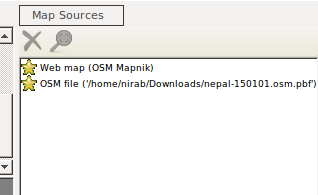
<p>Now load the previously downloaded OSM data by going to File &gt; Open Map Sources and selecting the downloaded OSM file. After the data is loaded we can see a new source added to the Map source window at bottom right.</p>

<p><img src="/images/afterbefore_3.png" alt="_config.yml" /></p>

<p>Now  click on the Web map and remove the map source by clicking the cross button. We will now have our OSM file as the only map source. Now let us generate the tiles by running the command</p>

<p><em>generate-tiles minzoom=8 maxzoom=14 tilesdir=output_folder</em></p>

<p>The command will generate tile that can be used by a web map server. We can use these tiles with Openlayers and Leaflet. Also take into consideration the processing and storage requirements while setting the maximum and minimum zoom levels. We will be generating the tiles from zoom level 8 to zoom level 14 for the selected bounds and it will take 390 MB of storage.</p>

<p><strong>Make Map with Before After Slider</strong></p>

<p>We have the tiles ready so we will create maps to display the tiles using leaflet and add a slider comparison control using leaflet side by side. You can check the code for leaflet side by side control at its <a href="https://github.com/digidem/leaflet-side-by-side">github repo</a>. Here is the code for before after map.</p>

<div class="language-plaintext highlighter-rouge"><div class="highlight"><pre class="highlight"><code>&lt;html&gt;
&lt;head&gt;
 &lt;link rel="stylesheet" href="https://unpkg.com/leaflet@1.0.1/dist/leaflet.css" /&gt;
 &lt;style&gt;
    	body {
    	margin: 0;
    	padding: 0;
	}

	#map {
    	position: absolute;
    	top: 0;
    	bottom: 0;
    	width: 100%;
}
&lt;/style&gt;
&lt;/head&gt;
&lt;body&gt;
&lt;title&gt;
	Nepal Map Comparison
&lt;/title&gt;
  	&lt;script src="https://unpkg.com/leaflet@1.0.1/dist/leaflet.js"&gt;&lt;/script&gt;
  	&lt;script src="https://lab.digital-democracy.org/leaflet-side-by-side/leaflet-side-by-side.js"&gt;&lt;/script&gt;
  	&lt;div id="map"&gt;&lt;/div&gt;
  	&lt;script&gt;
    	var mymap = L.map('map').setView([28.2184,83.9959], 10);
    	var oldMap = L.tileLayer('tiles/{z}/{x}/{y}.png', {
      	attribution: 'OSM Contributors',
      	minZoom: 8,
      	maxZoom: 14
    	}).addTo(mymap);
    	var newMap = L.tileLayer('http://{s}.tile.osm.org/{z}/{x}/{y}.png', {
      	attribution: 'OSM Contributors',
      	minZoom: 8,
      	maxZoom: 14
    	}).addTo(mymap);
       	L.control.sideBySide(oldMap,newMap).addTo(mymap);
&lt;/script&gt;
&lt;/body&gt;
&lt;html&gt;
</code></pre></div></div>

<p>You can see that this is a simple Leaflet code. We create a leaflet map object and add two tile layers to the map. One of our tile layer is current osm tile and another tile layer is the old map tiles generated from Maparative. The tile source must be specified in the format output_folder/{z}/{x}/{y}.png .</p>

<div class="language-plaintext highlighter-rouge"><div class="highlight"><pre class="highlight"><code>    	var oldMap = L.tileLayer('tiles/{z}/{x}/{y}.png', {
      	attribution: 'OSM Contributors',
      	minZoom: 8,
      	maxZoom: 14
    	}).addTo(mymap);
</code></pre></div></div>

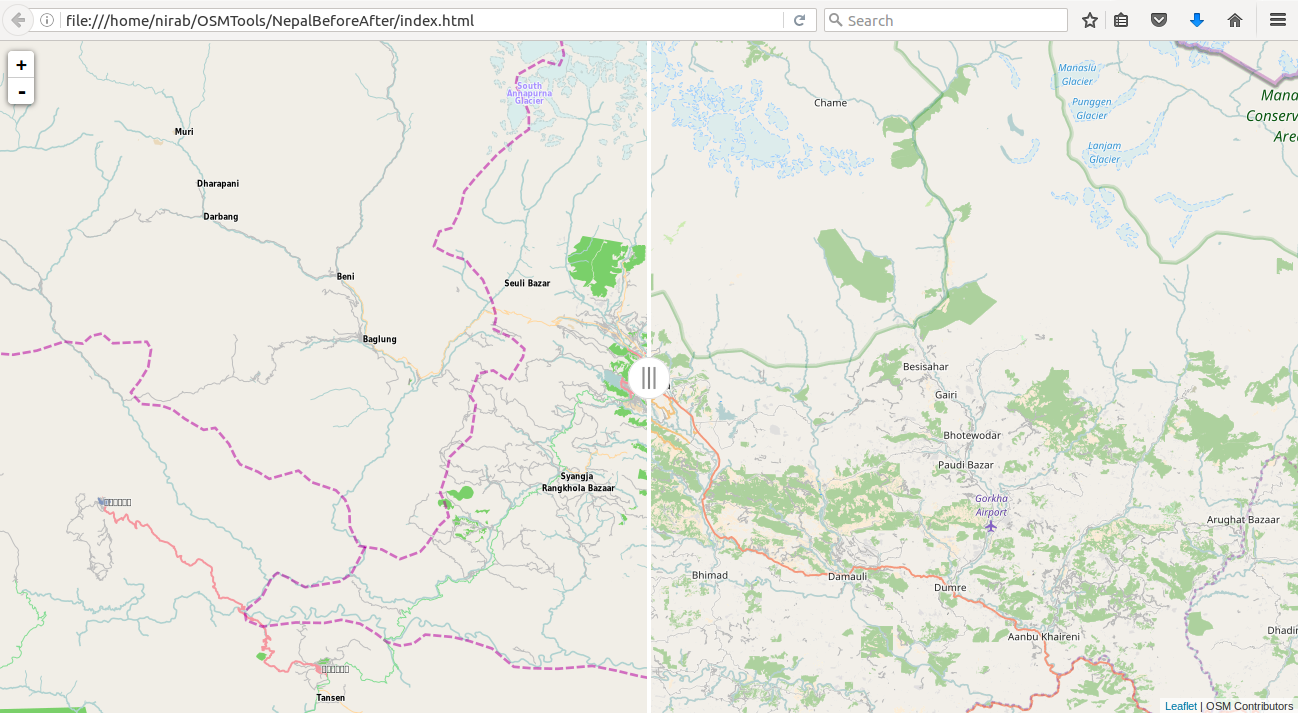
<p>We can now open the HTML file in a browser and see the output.</p>

<p><img src="/images/afterbefore_4.png" alt="_config.yml" /></p>

<p><strong>Publishing Online</strong></p>

<p>Github allows hosting simple sites using github pages. Create a new repo in github and push your code to a branch gh-pages. The map will now be available in the url <em>https://your-username.github.io/repo-name**.</em>  You can learn more about github pages at <a href="https://pages.github.com">https://pages.github.com</a>.</p>]]></content><author><name></name></author><summary type="html"><![CDATA[We can create after and before maps easily using freely available map data and tools. In this post we will learn to make after before slider for OpenStreetMap using tools Maperative, Leaflet and Github pages. We will use the Maperative to create map tiles for older OSM data and Leaflet side by side control to create a before after slider. We will then host the tiles and the before after maps using github pages. We will be making the after and before map of Nepal using the current OSM data of Nepal and the January 1st, 2015 older data of Nepal. We will be using ubuntu 16.04 as our operating system for the tutorial but the tools can be used in other operating systems as well.]]></summary></entry><entry><title type="html">Beginning of OSM Community in Bhutan</title><link href="https://nirabpudasaini.github.io//Beginning-of-OSM-Community-in-Bhutan/" rel="alternate" type="text/html" title="Beginning of OSM Community in Bhutan" /><published>2016-09-02T00:00:00+00:00</published><updated>2016-09-02T00:00:00+00:00</updated><id>https://nirabpudasaini.github.io//Beginning-of-OSM-Community-in-Bhutan</id><content type="html" xml:base="https://nirabpudasaini.github.io//Beginning-of-OSM-Community-in-Bhutan/"><![CDATA[<p>World Bank Bhutan in consultation with the Thimphu Thromde partnered with Kathmandu Living Labs(KLL) and Humanitarian OpenStreetMap(HOT) team to start the OpenStreetMap(OSM) movement in Bhutan. The plan was to sensitize the government officials and build their capacity to create and use map data using open source platforms like OpenStreetMap and QGIS. We also had planned on training students from Royal Thimphu College(RTC) on crowdsource gis and mapping in OSM.</p>

<p><strong>Opening Up Government Data</strong></p>

<p>Thimphu Thromde already had data sets like building footprints with building numbers and street with associated street names that they were looking to share with other agencies and general public. One main reason for this was they wanted the people to adopt the new addressing system developed by the Thromde. The import to OSM was coordinated using <a href="http://tasks.hotosm.org/project/2017">HOT tasking manager</a> . The import process for <a href="https://wiki.openstreetmap.org/wiki/WikiProject_Bhutan/Thimphu_Thromde_data_import">building footprints</a> and <a href="https://wiki.openstreetmap.org/wiki/WikiProject_Bhutan/Thimphu_Thromde_data_house_number_and_streets_import_workflow#Getting_OSM_data_and_Thimphu_Thromde_housenumber_nodes_and_named_street_ways">address (house number and street name)</a> is documented in the OSM wiki.</p>

<p>Import would not properly work without having a robust local community. The next challenge was to build local community in Bhutan that was capable of uploading new data, verifying and validating the existing data and putting the data to innovative uses.</p>

<p><strong>Local Capacity Building</strong></p>

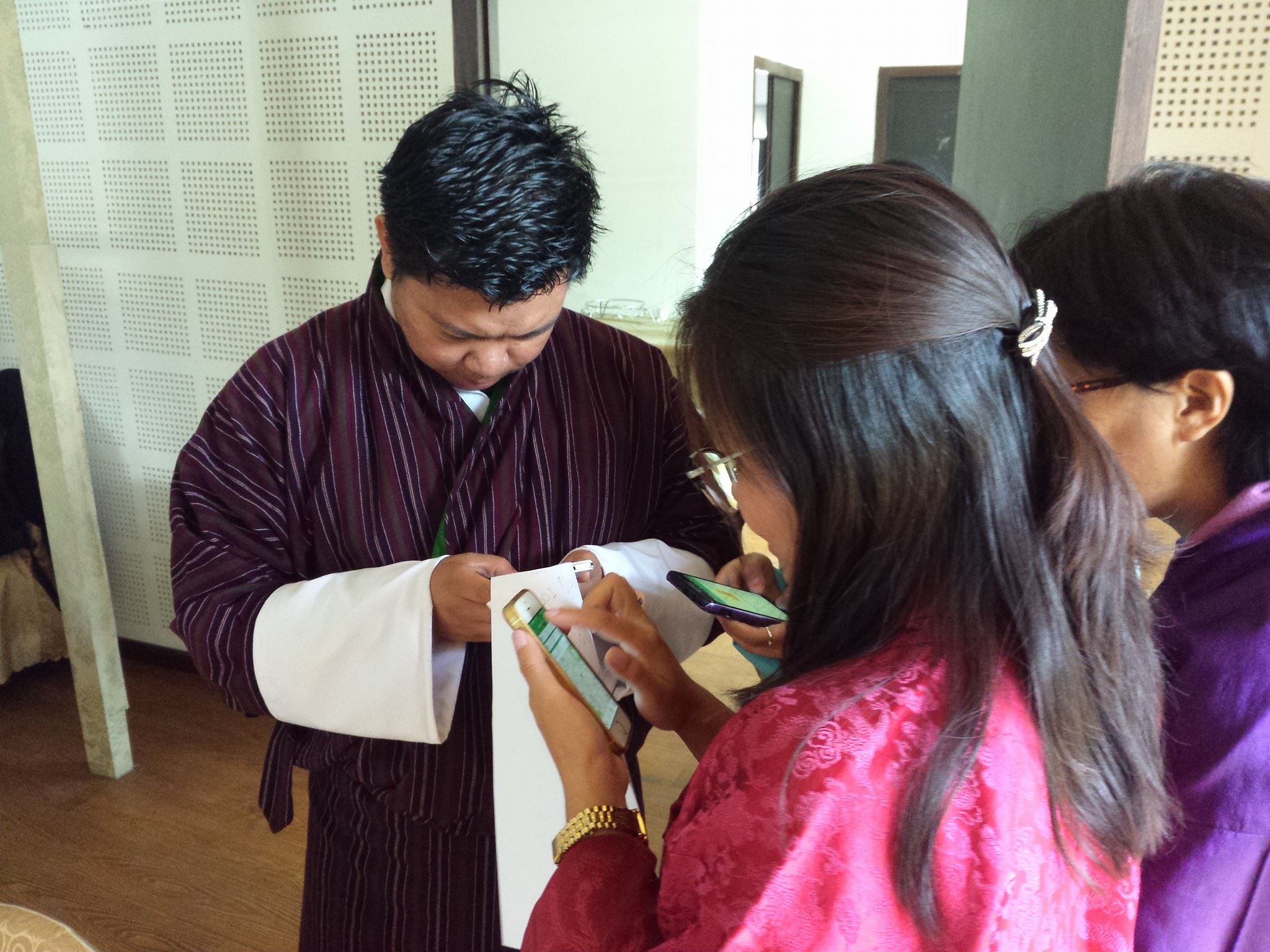
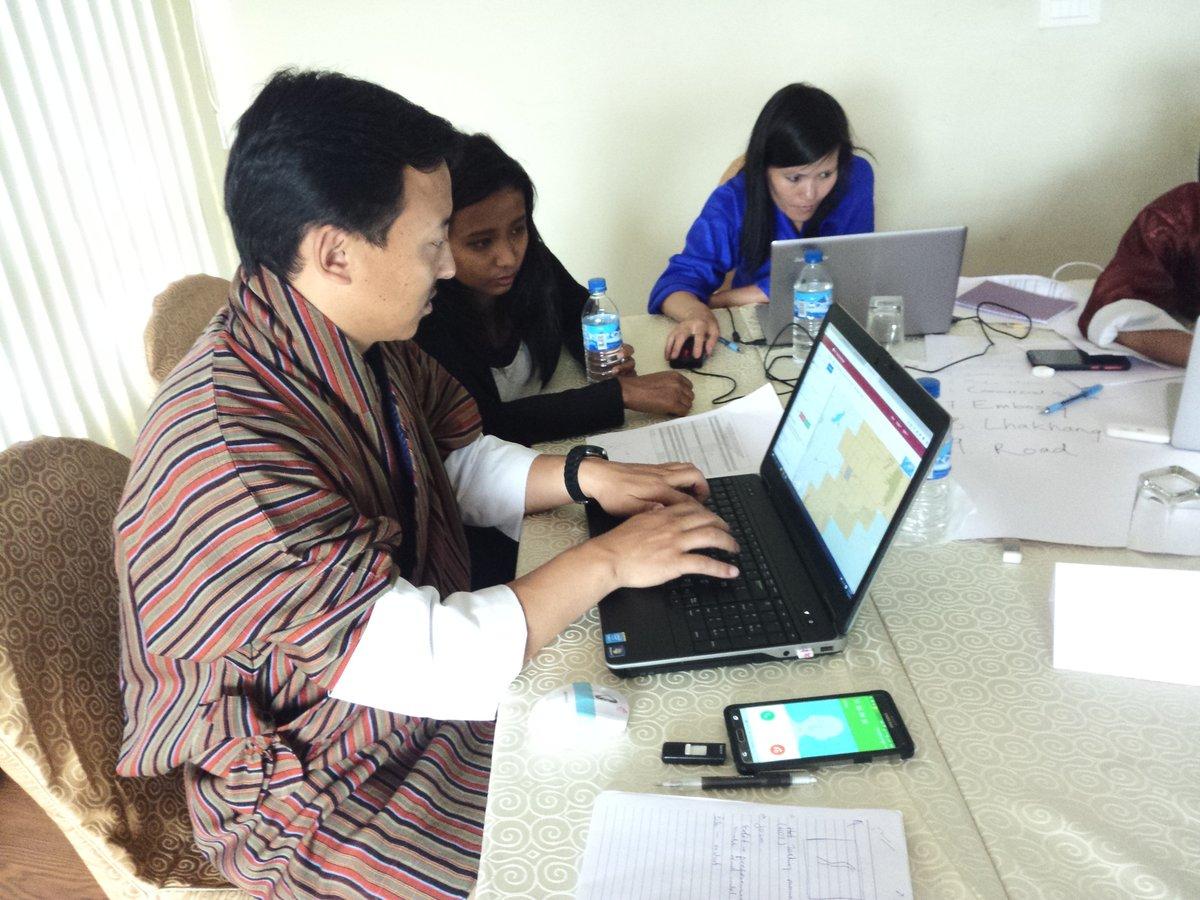
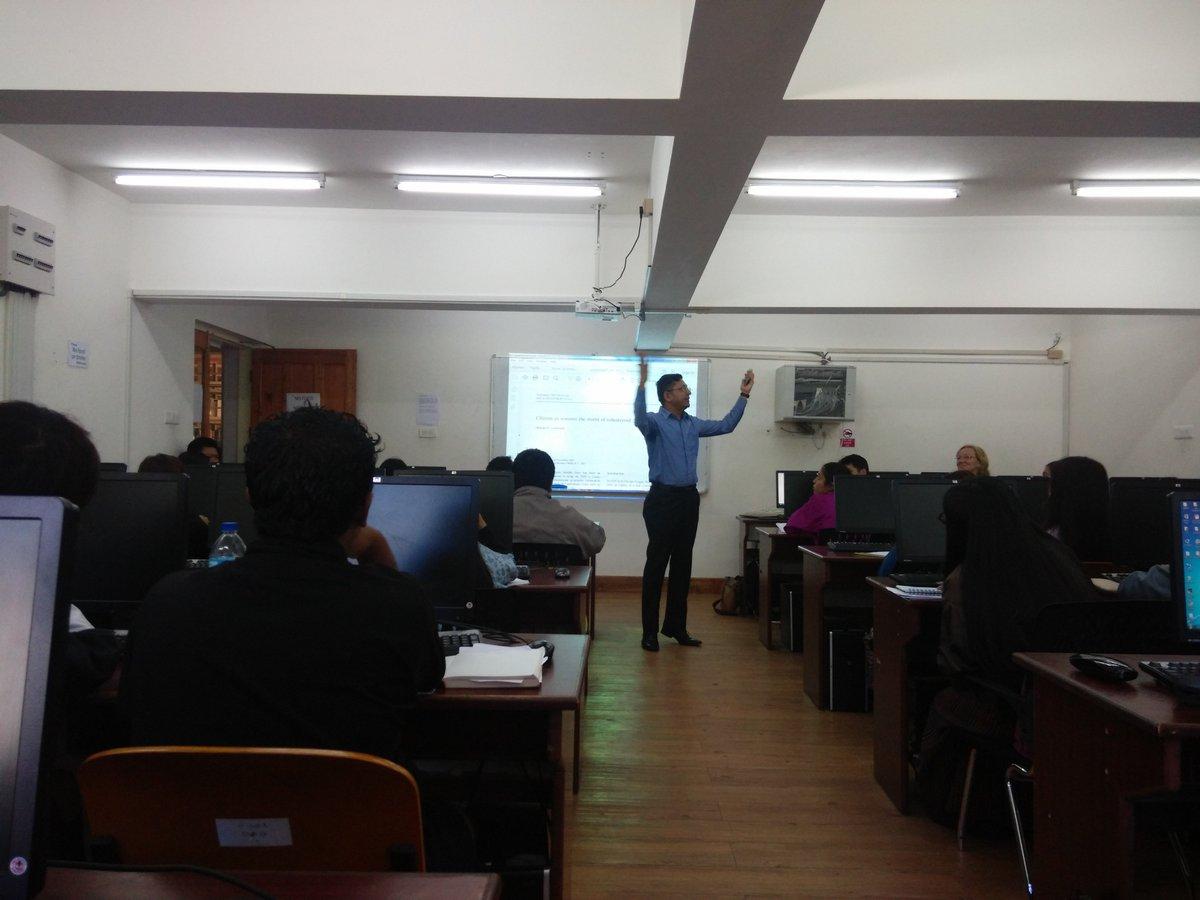
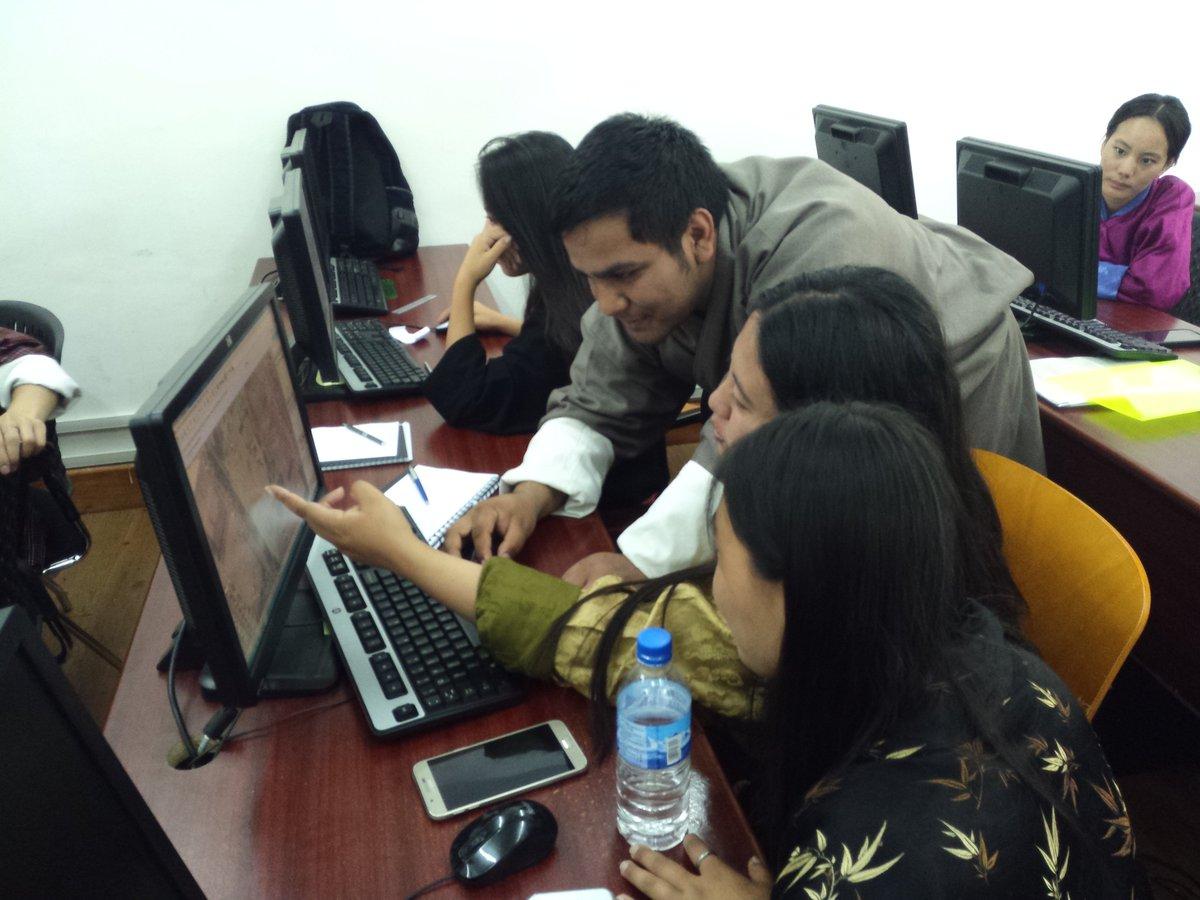
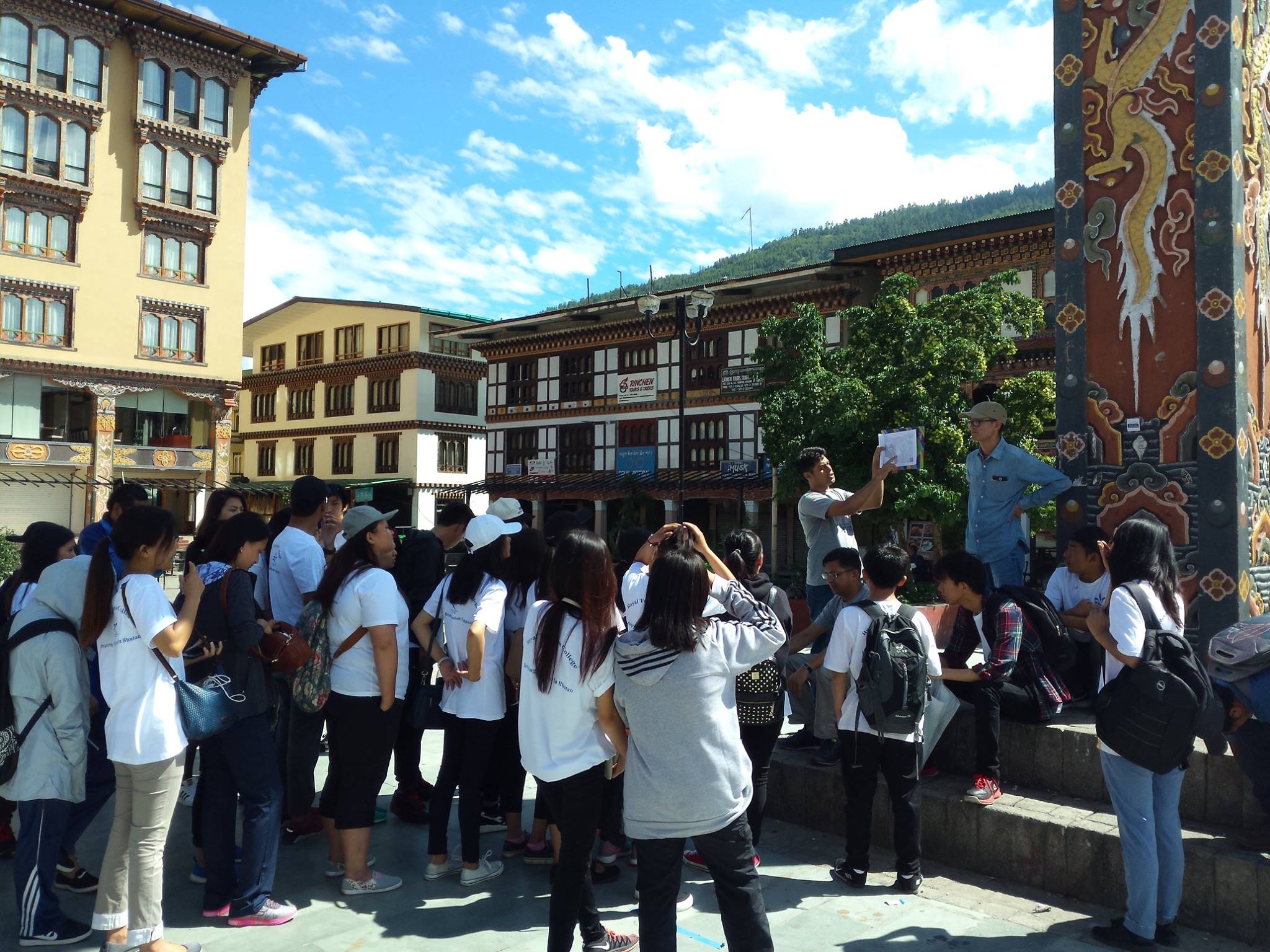
<p>We trained officials from Thimphu Thromde and other ministry of Bhutan government to collect and map data in openstreetmap using OSMtracker, fieldpapers and JOSM. They further learnt QGIS to create custom maps from OSM data and to do simple vector analysis. Over the course of four days participants learned the philosophy and theory behind OSM and different use of OSM along with the tools. Similar training was also given to undergraduate students from Royal Thimphu College. Students got a chance to learn about OpenStreetMap and also got hands on working experience with mapping in OSM platform.</p>

<p><img src="/images/bhutan_0.jpg" alt="_config.yml" /> <img src="/images/bhutan_1.jpg" alt="_config.yml" /></p>

<p>It was interesting to see the excitement of the government officials regarding OSM and its utility to Bhutan. All the officials found OSM relevant to the work that their organization is doing and suggested that OSM movement in Bhutan should go beyond the capital city of Thimphu and spread to the whole country.</p>

<p><img src="/images/bhutan_2.jpg" alt="_config.yml" /> <img src="/images/bhutan_3.jpg" alt="_config.yml" /></p>

<p><strong>Sensitizing the Local Government</strong></p>

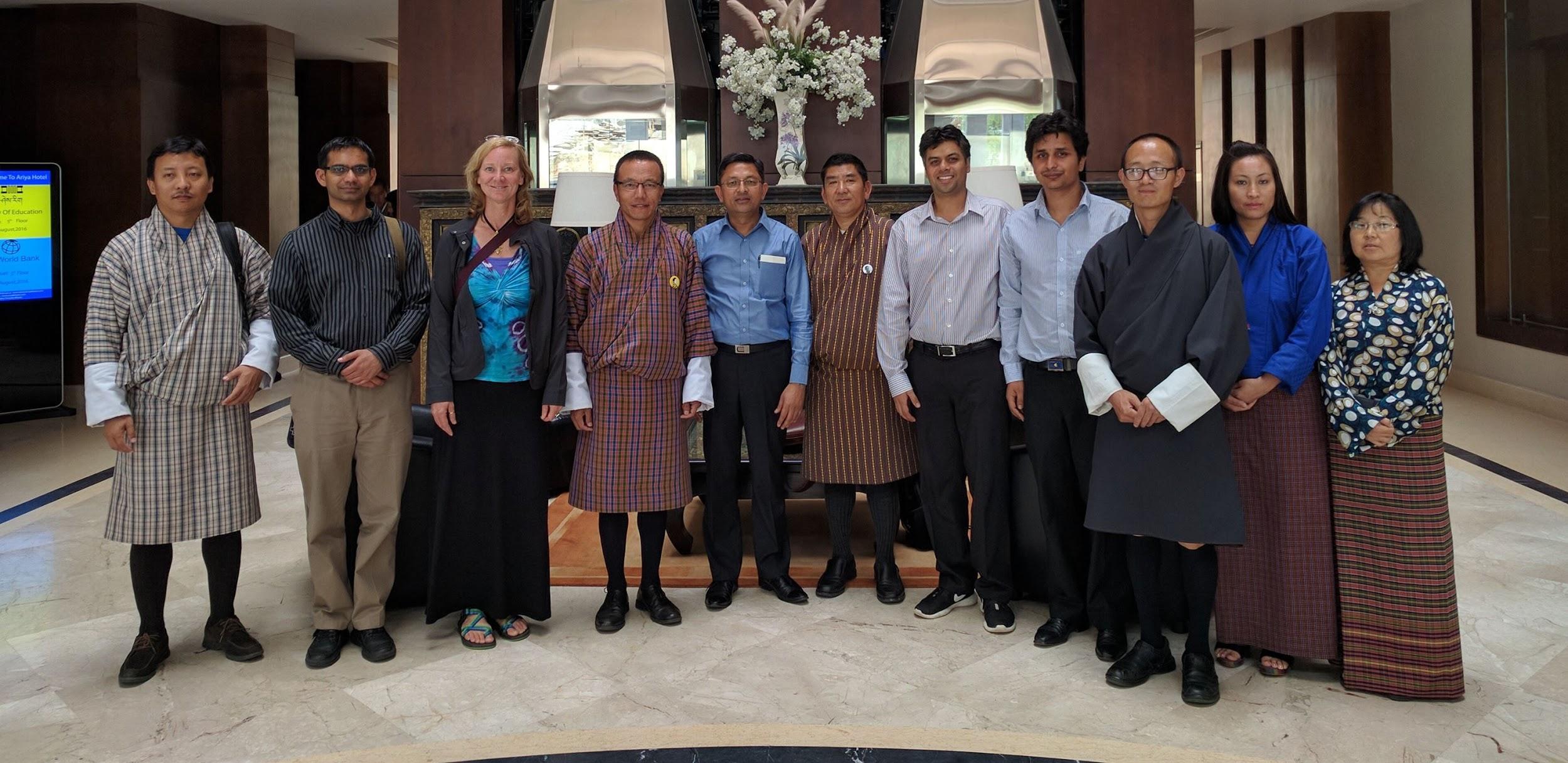
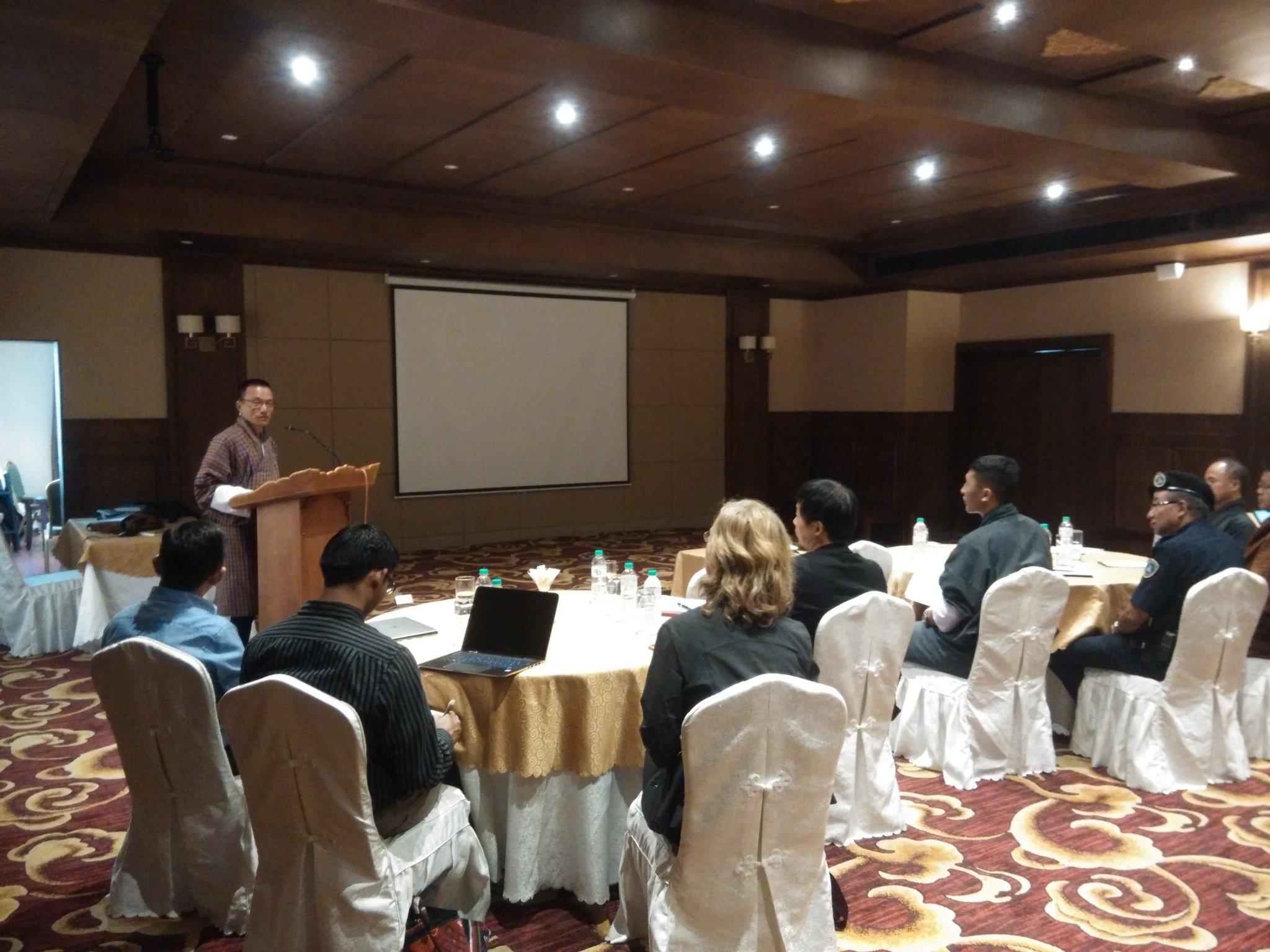
<p>In order for this excitement of government officials to carry forward and become tangible it was important to sensitize the higher ranking officials of the organizations. We organized a half day sensitization workshop for these officials. We use the workshop to showcase application of OSM in various thematic areas like agriculture, governance and disaster management. Major part of the showcase was the use of OSM during and after the Nepal earthquake. The workshop was successful in sensitizing the people at policy level. Mayor of Thimphu Thromde , Kinlay Dorjee mentioned “OpenStreetMap can be a tool for Thromde to engage our citizens and connect with the Youth”.</p>

<p><img src="/images/bhutan_4.jpg" alt="_config.yml" /> <img src="/images/bhutan_5.jpg" alt="_config.yml" /></p>

<p><strong>Engaging Youth, Sustainability and Way Forward</strong></p>

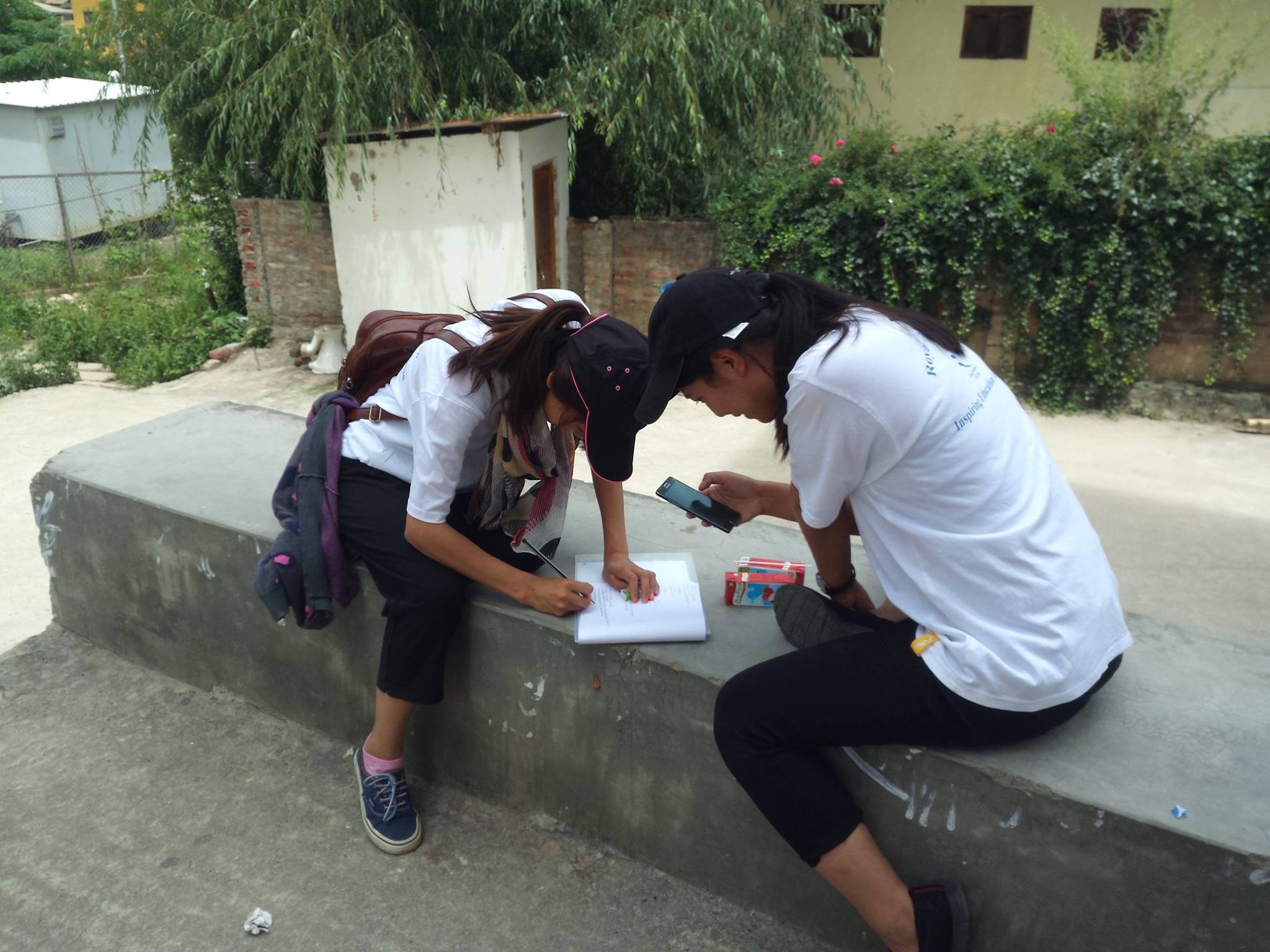
<p>Interesting and unique partnership between the Royal Thimphu College and Thimphu Thromde have emerged from the OSM work. Thimphu Thromde with the help of students of RTC were able to map two administrative units of the in good detail. During data collection students introduced the general public to offline maps in smartphone and the addressing system developed by Thimphu Thromde. This helped Thromde to not only collect data more efficiently but also to connect with the youth and engage the citizens. The students gained valuable knowledge about their community, the work of their local government and cutting edge technology.</p>

<p><img src="/images/bhutan_6.jpg" alt="_config.yml" /> <img src="/images/bhutan_7.jpg" alt="_config.yml" /></p>

<p>In order for the community to be sustainable in longer run such partnership should be encouraged in other agencies of the government. Thimphu Thromde has already take a step forward towards this and hired three interns to carry forward the OSM work. Mapping events should be regularly organized which would allow local champions to emerge. At the same time some method of incentivizing long term mappers should be developed. The Bhutan OSM community is also moving forward with this using social media like facebook and wechat to  stay in touch and support each other. The challenge now will be to maintain the excitement of the community and also bring in new members.</p>]]></content><author><name></name></author><summary type="html"><![CDATA[World Bank Bhutan in consultation with the Thimphu Thromde partnered with Kathmandu Living Labs(KLL) and Humanitarian OpenStreetMap(HOT) team to start the OpenStreetMap(OSM) movement in Bhutan. The plan was to sensitize the government officials and build their capacity to create and use map data using open source platforms like OpenStreetMap and QGIS. We also had planned on training students from Royal Thimphu College(RTC) on crowdsource gis and mapping in OSM.]]></summary></entry><entry><title type="html">OpenStreetMap Revolutionizing Farming in Nepal</title><link href="https://nirabpudasaini.github.io//OpenStreetMap-Revolutionizing-Farming-in-Nepal/" rel="alternate" type="text/html" title="OpenStreetMap Revolutionizing Farming in Nepal" /><published>2016-08-22T00:00:00+00:00</published><updated>2016-08-22T00:00:00+00:00</updated><id>https://nirabpudasaini.github.io//OpenStreetMap-Revolutionizing-Farming-in-Nepal</id><content type="html" xml:base="https://nirabpudasaini.github.io//OpenStreetMap-Revolutionizing-Farming-in-Nepal/"><![CDATA[<iframe width="560" height="315" src="https://www.youtube.com/embed/2xf0d-v4TPc" frameborder="0" allowfullscreen=""></iframe>

<p>Agriculture is one of the most important livelihood sectors in Nepal. A substantial proportion of the rural income and employment opportunities for the Asian nation’s 210 million inhabitants come from farming. According to the 2014 World Bank report, agriculture contributed 235 billion NPR ($2 billion) to Nepal’s GDP — a whopping 34.35%. That’s not all. According to the National Sample Census of Agriculture Nepal 2011, the landlocked country has 3.8 million families involved in agriculture. And even though 83% of these families count on agriculture as their major source of income, the annual produce is not enough to feed even 60% of the families.</p>

<p>Ensuring effective agriculture production across the country has been a serious challenge due to high degree of spatial and temporal climate variability coupled with lack of agricultural datasets and technology. This is because many farmers use traditional practices in agriculture and there is a lack of commercialization in agriculture. Moreover, there is a lack of data on what is grown where. So, government and non-government organizations find it hard to plan changes that might prove effective. Also, the youth in Nepal today is disengaged with their community, and is looking to migrate to other countries for better opportunities.</p>

<p><strong>Local knowledge and crowdsourcing</strong></p>

<p>Enter Kathmandu Living Labs (KLL) — a not-for-profit technology company working on open data and open source technology to solve day-to-day problems faced by citizens in Nepal. Believing that the local knowledge and crowdsourcing play a powerful role in any society, KLL thought that the best way to gather the requisite information was by engaging the farmers, students and teachers in the community.</p>

<p>KLL had realized the power of OpenStreetMap (OSM) when it worked on map data for disaster resilience and preparedness in the aftermath of the April 2015 Nepal earthquake. Nepal has seen a considerable rise in OSM mapping and usage since 2012; majorly because of the growing community that formed around OSM and the increase in volunteers who joined the OSM movement. During the re-establishment efforts post the 2015 earthquake, it was realized that OSM is useful in many other geospatial operations than just disaster preparedness.</p>

<p><img src="/images/agriculture_mapping_0.jpg" alt="_config.yml" /></p>

<p>Due to its easy usage and open nature, OSM was the right choice for data mapping in the agriculture project which was backed by ICIMOD, NASA and USAID. Since crowdsourced open mapping for agriculture was a new concept, the pilot project was carried out in three villages — Bajrabarahi, Manahari and Padampur. These villages were selected based factors like existing agricultural productivity, schools, distance from the country’s capital Kathmandu, and the availability of satellite imagery in OSM.</p>

<p>Paluwa, an agricultural startup that connects rural agro producers to urban consumers, helped connect the KLL team with Bishnu Gautam from Magnus Software who, in turn, linked KLL with the Small Farmers Agriculture Cooperative. To motivate the farmers and help them visualize the project, a demonstration on OSM mapping of horticulture center was given.</p>

<p><strong>Training sessions for farmers, youth</strong></p>

<p>In OSM, attribute data are defined by a combination of key and value called tag. A single feature is associated with many types of information and can contain multiple tags. The challenge in mapping the agriculture data was defining the entire attribute data that was to be mapped. A farmers’ meet was organized to zero-in on the list of important things to be mapped. An agriculture consultant was also appointed to brush up the list. Suggestions of tags were also made for the attributes that did not have pre-existing tags.</p>

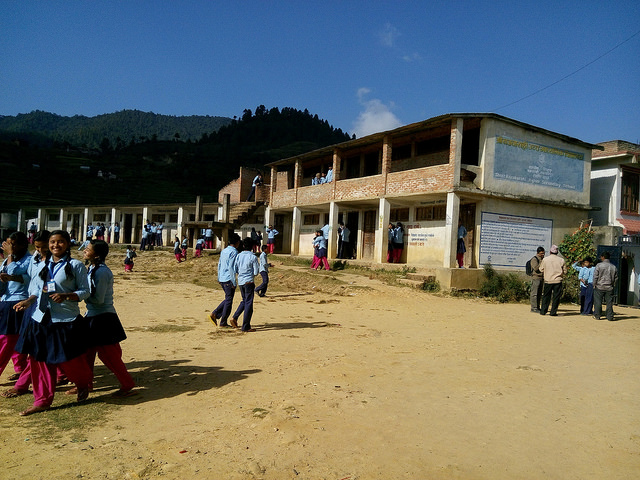
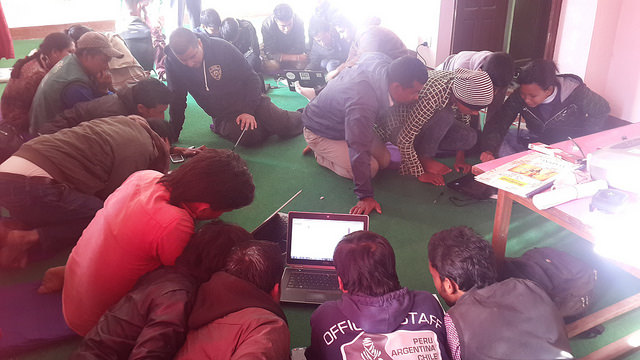
<p>The KLL team spent two weeks in each village during which training sessions for local farmers, youth, school students and school teachers were conducted. The training sessions covered mapping general geographic features, such as, roads, shops and rivers, as well as features specific to agriculture, such as, crop production pockets and crop cycle. Starting with the basics of mapping, the local trainees and participants were taught to explore interesting map features to characterize the village. This further helped identify OSM features based on local knowledge. For example, one of the villages, Bajrabarahi, is known for places of historical importance and has also developed new approaches to agriculture, such as, rainwater harvesting for irrigation. Putting things on the map and seeing the outcome of it slowly built the excitement and confidence of the participants.</p>

<p><img src="/images/agriculture_mapping_1.jpg" alt="_config.yml" /></p>

<p>Progress made during the training was an added motivation for the participants. KLL developed a mechanism to quantitatively review this progress via a visualization which showed daily progress at the start of the day. Group sessions were also conducted where the satellite imagery was projected. The farmers discussed and mapped crop production pockets. Another interesting exercise was pairing up younger school students with older farmers. The students taught the farmers about the technology, while the farmers taught the students about the locality and agricultural practices in their village.</p>

<p>A methodology was developed to train local citizens in mapping on OSM and using local knowledge to build the map itself, keeping in mind the four key pillars of food security: availability, access, utilization and stability. A majority of the OSM features were mapped by the enthused participants. A total of 3,692 POIs, 43 schools, five health facilities, 6,318 buildings, 518 km of road, 31.54 square kilometres of farmland and 31.45 km of irrigation canal were covered by the project.</p>

<p><strong>Gaining spatial literacy, confidence</strong></p>

<p>Farmers developed competency and confidence in using the technology, and the youth gained a better understanding of their village. Participants gained spatial literacy and discovered new things about their villages. One kiwi fruit farmer went to all the kiwi farms in the village, mapped them and collected production data. After a week of mapping one farmer mentioned, “Initially when I looked at the satellite image, I could not figure out anything. But now, after mapping a few identifiable places, I can take reference and figure out everything present in my community.”</p>

<p>The school students were also excited to use mobile phones and computers to create maps of their communities. They gained a deeper understanding of the geography lessons they learned in their classes. They also learned a lot about agriculture and their villages from their elders and farmers while helping them.</p>

<p><img src="/images/agriculture_mapping_2.jpg" alt="_config.yml" /></p>

<p>The KLL team also developed a website — www.khetibali.com — dedicated to providing information about the agricultural status of these villages. After seeing the overwhelming success of the project in these villages, Small Farmers Agriculture Cooperative wants to replicate the work in all 600 villages of Nepal. The work has also generated interest from the government.</p>

<p>In the coming days, KLL hopes to capitalize on this excitement and use open mapping knowledge to create an open geodata for the entire agriculture community of Nepal.</p>

<p><em>I wrote the post originally for geospatial world magazine and the original article can be found <a href="https://www.geospatialworld.net/article/osm-revolutionizing-farming-nepal/">here.</a></em></p>]]></content><author><name></name></author><summary type="html"><![CDATA[]]></summary></entry><entry><title type="html">Open Source and Open Data’s Role in Nepal Earthquake Relief</title><link href="https://nirabpudasaini.github.io//Open-Source-and-Open-Datas-Role-in-Nepal-Earthquake-Relief/" rel="alternate" type="text/html" title="Open Source and Open Data’s Role in Nepal Earthquake Relief" /><published>2016-06-08T00:00:00+00:00</published><updated>2016-06-08T00:00:00+00:00</updated><id>https://nirabpudasaini.github.io//Open-Source-and-Open-Datas-Role-in-Nepal-Earthquake-Relief</id><content type="html" xml:base="https://nirabpudasaini.github.io//Open-Source-and-Open-Datas-Role-in-Nepal-Earthquake-Relief/"><![CDATA[<p>A devastating magnitude 7.8 earthquake struck Nepal on April 25, 2015, killing more than 9,000 people, injuring thousands more, and leaving an additional 3 million homeless.</p>

<p>Immediately after the earthquake, the government, local and international security forces, and international aid agencies all jumped in to try to help. However, there was a lack of coordination between these groups.</p>

<p>The power of an open source project like <a href="https://openstreetmap.org">OpenStreetMap</a> during a crisis like Nepal’s earthquake is undeniable, and I had the opportunity to see it up close and personal. I worked with the Kathmandu Living Labs team, where I observed thousands of local and international volunteers collaborating to create data and tools. Responding agencies used the team’s work to plan and execute their operations.</p>

<p>The philosophy of <a href="http://kathmandulivinglabs.org">Kathmandu Living Labs</a> is that by collaboratively building upon existing work, we will reach much further and have a far greater impact than working on problems individually and from scratch.</p>

<p><strong>OpenStreetMap</strong></p>

<p><img src="/images/open_data_relief_0.png" alt="_config.yml" /></p>

<p><em>An OpenStreetMap map of Kathmandu</em></p>

<p>Before the earthquake, Nepal had a strong OpenStreetMap community thanks to the work of Dr. Nama Raj Budhathoki. Budhathoki hosted mapping events with the support of major universities, youth groups, and NGOs/INGOs in the Nepali capital of Kathmandu. So before the earthquake even occurred, the city had already been densely mapped by hundreds of volunteers. And that work had started to expand beyond the capital city.</p>

<p>In the aftermath of the earthquake, about 8,000 local and international OpenStreetMap community members worked to create detailed map of affected areas, which first responders used for planning and mobilizing their resources. A task of this scale would not have been possible with only local mappers. Because many of these mappers were first-timers, resources like LearnOSM.org were invaluable in getting them up to speed. Coordination between thousand of mappers was done using the <a href="http://tasks.hotosm.org/">Humanitarian OpenStreetMap Team’s tasking manager</a>, an open source tool that has been used in several disaster situations and is continuously being improved.</p>

<p><img src="/images/open_data_relief_1.png" alt="_config.yml" /></p>

<p><em>Nepal earthquake mapping in the Humanitarian OpenStreetMap Team’s tasking manager</em></p>

<p>Kathmandu Living Labs then took the open data gathered by what I like to call “digital humanitarians” through OpenStreetMap to relay needs of survivors and victims to volunteers on the ground. The responding units and organizations needed training on OpenStreetMap (which we provided) as well as custom maps for specific purposes and missions.</p>

<p><strong>Ushahidi</strong></p>

<p>The most powerful project the Kathmandu Living Labs team created during this time was QuakeMap.org. This platform helped people communicate their needs to responding organizations effectively. The system received 2,035 reports, out of which 978 were verified and 551 required action. Of the actionable reports, 434 reports were acted on and 309 were completely closed. Due to difficulties with feedback loops, we were not able to ascertain whether action was taken on the remaining reports.</p>

<p>QuakeMap.org was built on top of the open source <a href="https://www.ushahidi.com/">Ushahidi framework</a>, which was built in 2008 to map post-election violence in Kenya. Ushahidi has grown significantly since then, with customizable features and about 90,000 deployments worldwide.</p>

<p><img src="/images/open_data_relief_2.png" alt="_config.yml" /></p>

<p>Building QuakeMap.org on top of Ushahidi allowed us to quickly get the platform running. Because it is open, we were able to customize the deployment as the needs came in. Moreover, it allowed us to focus on the deployment from the outset, creating a process around dispatching requests to the appropriate responding organizations. Our volunteers were working around the clock on verifying and channeling the reports to the responding organizations. They were then actively seeking information on whether the needs in the reports were addressed and updating the status of the reports from that information.</p>

<p>Building similar technology from scratch would have required significant development time, which would have consumed all of the resources of our small team. Not to mention, in a crisis, you need to be able to move very quickly to respond to life-threatening needs.</p>

<p><strong>Open Data Kit</strong></p>

<p>Since the earthquake, Kathmandu Living Labs has been involved in many data collection projects for damage assessment, relief distribution tracking, and reconstruction monitoring. We’ve been working with the Nepali government’s Department of Archeology, Department of Education, Central Bureau of Statistics, and National Reconstruction Authority to collect damage assessments of historical sites, schools, and residential buildings. We’ve worked with other partners, like World Bank, Teliasonera, and Mercy Corps Nepal to use mobile data collection for relief and reconstruction monitoring and tracking.</p>

<p>We use KLL Collect, an application built on top of the open source Open Data Kit, for all of our data collection project. <a href="https://opendatakit.org/">Open Data Kit (ODK)</a> is a data collection platform consisting of various sets of tools to author, deploy, and manage mobile data collection. It allows easy authoring of mobile surveys that can be written in spreadsheets. The project started in 2008 and is backed by a worldwide community of developers and users.</p>

<p>By building on top of the existing ODK framework, we were able to add necessary features and customize the app to the project’s needs. We were able to use existing ODK server-side technologies and focus on improving the mobile app. In addition, the active community and fair amount of already existing online resources meant that we could always count on getting help when we got stuck.</p>

<p><img src="/images/open_data_relief_3.png" alt="_config.yml" /></p>

<p><strong>The way ahead</strong></p>

<p>It took us a calamity of huge scale to learn the importance of open data. After the earthquake, we saw adoption of OpenStreetMap by most agencies. Due to its level of details was used as a default map source.</p>

<p>There are important lessons that other countries can learn from Nepal and its adoption of open data after the earthquake. We saw the importance of building and having a capable local team. We saw that when thousands of people come together in an open ecosystem, they can accomplish in weeks what would have otherwise taken years to do. We saw that having easily deployable and open source systems in place is critical in times of crisis.</p>

<p>We can safely say that open data and open source projects saved numerous lives after the earthquake. We will need to invest in more of these projects in the future and create a local and self-sustaining communities around them.</p>

<p><em>I wrote the post originally for opensource.com and the original article can be found <a href="https://opensource.com/life/16/6/open-source-open-data-nepal-earthquake">here.</a></em></p>]]></content><author><name></name></author><summary type="html"><![CDATA[A devastating magnitude 7.8 earthquake struck Nepal on April 25, 2015, killing more than 9,000 people, injuring thousands more, and leaving an additional 3 million homeless.]]></summary></entry></feed>